
Summary
- What it means: ChatGPT Work won’t let you send right now, usually because a five-hour or weekly usage window ran out.
- The fastest fix: Open Settings → Usage, see which limit ran out and when it resets, then wait, use a saved reset, or use eligible credits.
- When it’s not on your side: If Usage shows allowance left and it still blocks you, check status.openai.com and report it to OpenAI Support.
AI Tool Fixes · ChatGPT errors
On this page
- What does “Message limit reached” mean in ChatGPT Work?
- Which Work and ChatGPT limit messages look alike?
- What causes “Message limit reached” in Work?
- Why do attachments fail in ChatGPT Work?
- How to fix “Message limit reached” in ChatGPT Work (6 steps)
- How do I avoid getting blocked mid-task?
- Quick check
- Limits of this guide
- FAQ
What does “Message limit reached” mean in ChatGPT Work?
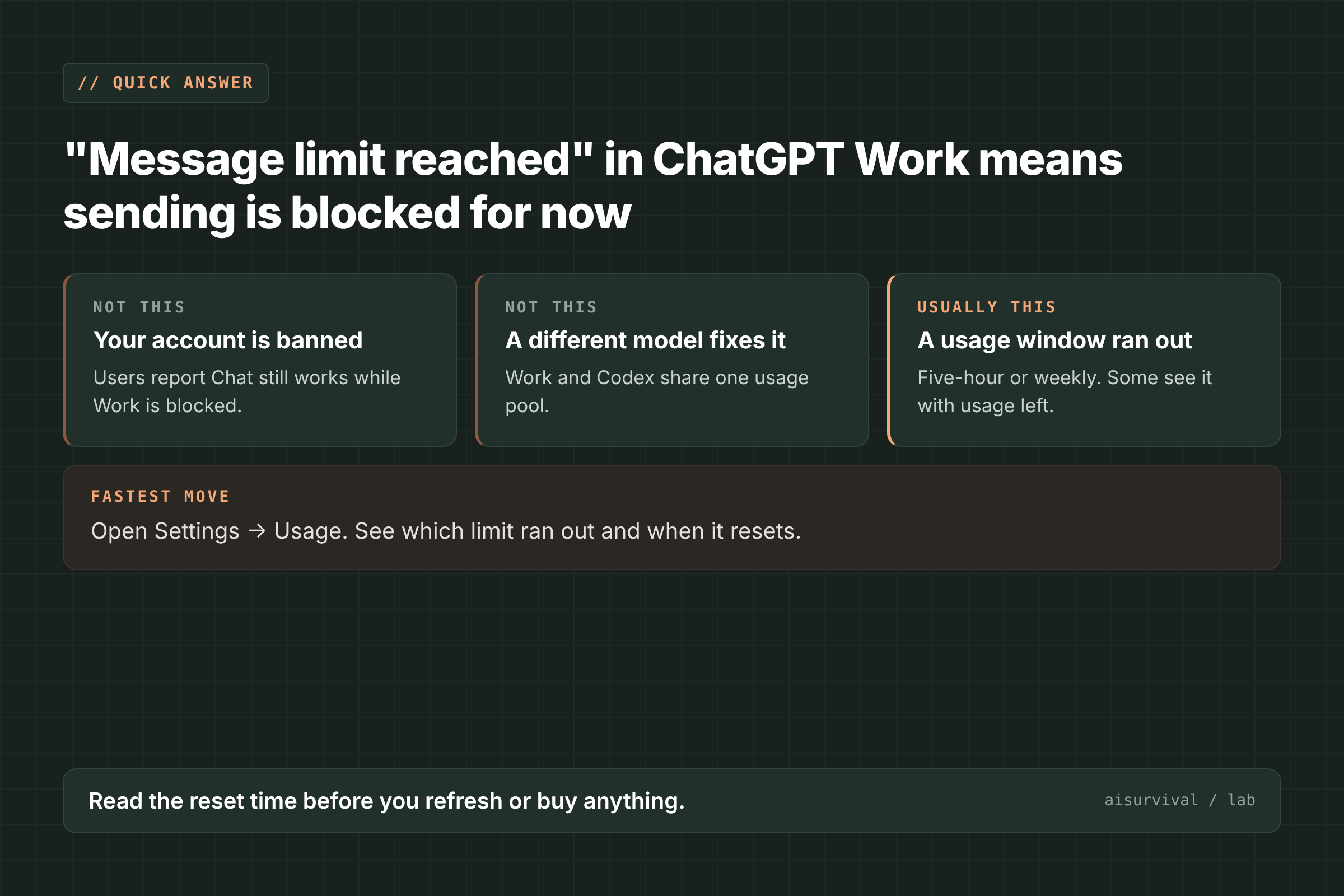
“Message limit reached” means ChatGPT Work has blocked the send button, so your next message can’t go through right now. The usual reason is that your Work and Codex allowance ran out for the current five-hour or weekly window. The fastest fix is to open Settings → Usage, which shows which limit you hit and when it resets.
ChatGPT Work is the agent mode in ChatGPT that runs longer tasks for you. Its usage is shared with Codex and measured in windows, not in a fixed message count, according to OpenAI’s help page on Work and Codex usage (OpenAI Help). Since early November 2026, some Pro users have also reported this message while they still had allowance or credits left (GitHub, forum).
Which Work and ChatGPT limit messages look alike?
Several messages sound like a limit but mean different things. Read the exact words, because the first move changes.
| Message you see | What it means | What to do first |
|---|---|---|
| “Message limit reached” (Work) | Work won’t send; usually a usage window ran out | Check Settings → Usage |
| “You’ve reached the limit for chats that include files or images” | Regular ChatGPT limit on chats with uploads | Start a new text-only chat, or wait |
| “Unknown error” after a long Work run | The Work conversation hit its limit | Start a new Work conversation |
| “This message could not be loaded” | One message won’t display | Open the chat on another device |
| “Could not load this ChatGPT conversation” | The whole chat won’t open | Reload once, then try another device |
The file-and-image limit text comes from Free-plan users in an August 2026 forum thread (forum). The “Unknown error” report comes from a Pro user whose new Work conversation hit its limit in under an hour (forum). If the whole chat won’t open, read “Could not load this ChatGPT conversation”.
What causes “Message limit reached” in Work?
OpenAI documents the normal cause. The other causes come from user reports, and OpenAI hasn’t confirmed them.
- A usage window ran out (official). Work and Codex have a five-hour window and a weekly window, and you need allowance left in both. Pro 100, Pro 200, and Pro 500 have no five-hour limit in Work and Codex, but they still have an included allowance. Switching models doesn’t restore allowance in a shared pool (OpenAI Help, page checked November 17, 2026).
- Credits not applied after the weekly limit (reported). Two Pro users in the forum said they had 45,000 and 52,000+ credits, yet every Work thread showed the limit after the weekly allowance ran out. They said Chat kept working. The first user quoted OpenAI Support saying credits “doesn’t guarantee that you can continue to use work mode” (forum).
- The block shows up in new or idle Work chats (reported). A Pro user saw it right after opening Work, before sending anything. Refreshing restored sending briefly, then the limit came back (GitHub #59428).
- A service incident. The same GitHub issue cites an OpenAI status incident on November 5, 2026, with elevated errors in ChatGPT Work, Dots, and Codex Web. The reporter said it may overlap with their problem but doesn’t prove it caused it.
That issue also lists an HTTP 429 (a “too many requests” response) that blocked conversation history, from OpenAI Support’s log review of one request. It was still open when we checked on November 17, 2026.
Why do attachments fail in ChatGPT Work?
Attachment problems in Work show up in two ways: the send button blocks, or the upload goes through but the model can’t read it. In both, the same file often works in regular ChatGPT Chat.
- Attaching an image triggers the limit. In #59428, attaching an image right after recovering access brought “Message limit reached” back, so the instruction couldn’t be sent (GitHub).
- Images show up but the model can’t see them. A Plus user said Work could find a screenshot but not view it, on desktop and web, while Chat read the same image (GitHub #56082). Another user found Work failed in the Windows and iOS apps but worked in a web browser (GitHub #57699).
- Documents aren’t read. One user said Work didn’t read attached .doc files, while normal ChatGPT did (GitHub #58705).
How to fix “Message limit reached” in ChatGPT Work (6 steps)
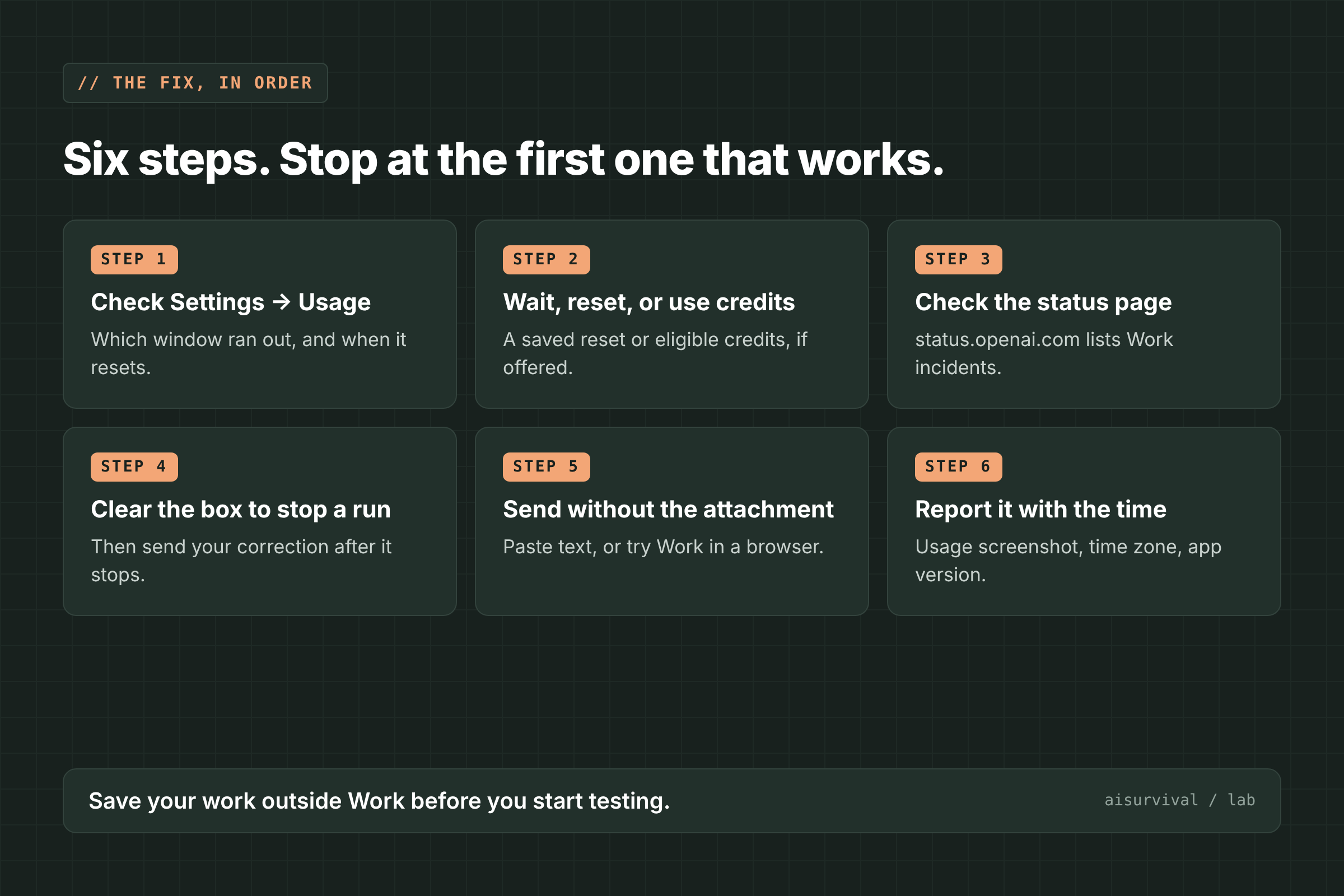
Go in this order and stop at the first step that works: check Usage, wait or reset, check the status page, stop the run cleanly, send without the attachment, then report it.
1. Check Settings → Usage
Open Settings → Usage. OpenAI says this page shows your remaining allowance, your usage windows, and their reset times. If a window shows zero, the message is doing its job, and you can plan around the reset time.
2. Wait, use a saved reset, or use eligible credits
OpenAI lists three options, depending on your account: wait for the reset, use a saved reset, or continue with eligible credits. In the desktop app, saved resets appear in Settings → Usage with options such as “1 reset available.” Before you buy credits, note the forum reports where credits didn’t unblock Work.
3. Check the status page
Open status.openai.com and look for ChatGPT Work or Codex incidents. If Usage shows allowance left and there’s an open incident, waiting is the safer move. Refreshing again and again rarely helps during an incident.
4. Clear the message box to stop a running task
If the limit appears while Work is still running, empty the message box. The #59428 reporter found that clearing the text brought back the Stop button, while typing made the send control show “Message limit reached” again. Stop the run first, then send your correction. This comes from one report.
5. Send without the attachment
Remove the image or file and send your instruction as text. If Work can’t read an image, try Work in a web browser, where one user found images worked. For a document, paste the key text into the message, or use regular Chat for that file.
6. Report it with the time and a Usage screenshot
If Usage shows allowance left and nothing works, contact OpenAI Support. Include a screenshot of Settings → Usage, the time and time zone, your app or browser version, and whether Chat still works. The forum and GitHub reporters said Support also asked for HAR files (a browser log of the failed request; remove private data before sending).
What usually does not help
- Switching models. OpenAI says this doesn’t restore allowance in a shared pool.
- Refreshing in a loop. In #59428, refreshing restored sending only briefly, and it sometimes left Work chats showing “Could not load this ChatGPT conversation.”
- Starting a brand-new Work chat during a block. In the forum and GitHub reports, new Work conversations were blocked too.
How do I avoid getting blocked mid-task?
- Check Settings → Usage before a big task, as OpenAI recommends.
- Keep project instructions and key data in your own files, so you can move the task to Chat or another tool.
- Copy finished results out of Work as soon as they land.
- Stop a run before you redirect it, instead of typing over it.
Quick check
Question: Work says “Message limit reached,” and Settings → Usage shows your weekly window at zero with a reset in two days. Will switching to another model help?
Answer: No. Work and Codex share one usage pool, so wait for the reset, use a saved reset, or use eligible credits.
Limits of this guide
- We did not reproduce this error. The official parts come from OpenAI’s Help Center; the rest comes from GitHub issues and OpenAI community forum posts.
- OpenAI has not explained the reports of “Message limit reached” with allowance or credits left. Those cases come from a small number of Pro users.
- The stop-the-run and browser-image workarounds each come from one report.
- Plans, limits, and resets change often. We checked these reports on November 17, 2026.
FAQ
How long does the ChatGPT Work message limit last?
It lasts until the five-hour or weekly window resets. Settings → Usage shows the exact reset time.
Do credits remove the Work message limit?
OpenAI says some accounts can continue with eligible credits. Some Pro users reported staying blocked even with credits, so check Usage first.
Why does ChatGPT Chat work when Work says the limit is reached?
Work and Codex use their own shared usage pool. Users in the forum reported Chat working normally while Work was blocked.
Why can’t ChatGPT Work see my screenshot?
OpenAI hasn’t said. Users found the same image worked in regular Chat, and one found Work in a web browser could read it.
What to read next
- ChatGPT 429 “Too many requests”: what it means + 6 fixes
- “Could not load this ChatGPT conversation”: why it happens + 6 fixes
- ChatGPT “This response couldn’t load”: what it means + 6 fixes
Your turn: Did Settings → Usage show a window at zero, or did Work block you with allowance left? Tell us in the comments.
Sources
- OpenAI Help Center: Managing usage with GPT-6 Astra in Work and Codex (checked November 17, 2026)
- GitHub openai/codex #59428: ChatGPT Work recurrent message-limit, conversation-load, attachment, and APICore failures (opened November 4, 2026; updated November 6, 2026)
- OpenAI Community: Usage credits and work mode failure today (November 1–7, 2026)
- OpenAI Community: Two new Work conversations reached their limit unusually quickly (November 4, 2026)
- OpenAI Community: Unexpected message limits in conversations that previously contained images or files (August 2026)
- GitHub openai/codex #56082: ChatGPT Work Mode not viewing images (October 22, 2026)
- GitHub openai/codex #57699: ChatGPT Work images inaccessible in Windows and iOS apps, but work in browser (October 28, 2026)
- GitHub openai/codex #58705: Issue with attached documents in ChatGPT Work (November 1, 2026)
Leave a Reply