
Summary
- What it means: ChatGPT can’t show one reply on this screen, even though other replies in the chat still load.
- The fastest fix: Open the same chat on your phone or in another browser, and copy the reply from there.
- When it’s not on your side: If it fails on every device and network, check status.openai.com and report it to OpenAI Support.
AI Tool Fixes · ChatGPT errors
On this page
- What does “This response couldn’t load” mean in ChatGPT?
- Is it the same as “Could not load this ChatGPT conversation”?
- What causes “This response couldn’t load”?
- How to fix “This response couldn’t load” (6 steps)
- How do I avoid losing replies to this error?
- Quick check
- Limits of this guide
- FAQ
What does “This response couldn’t load” mean in ChatGPT?
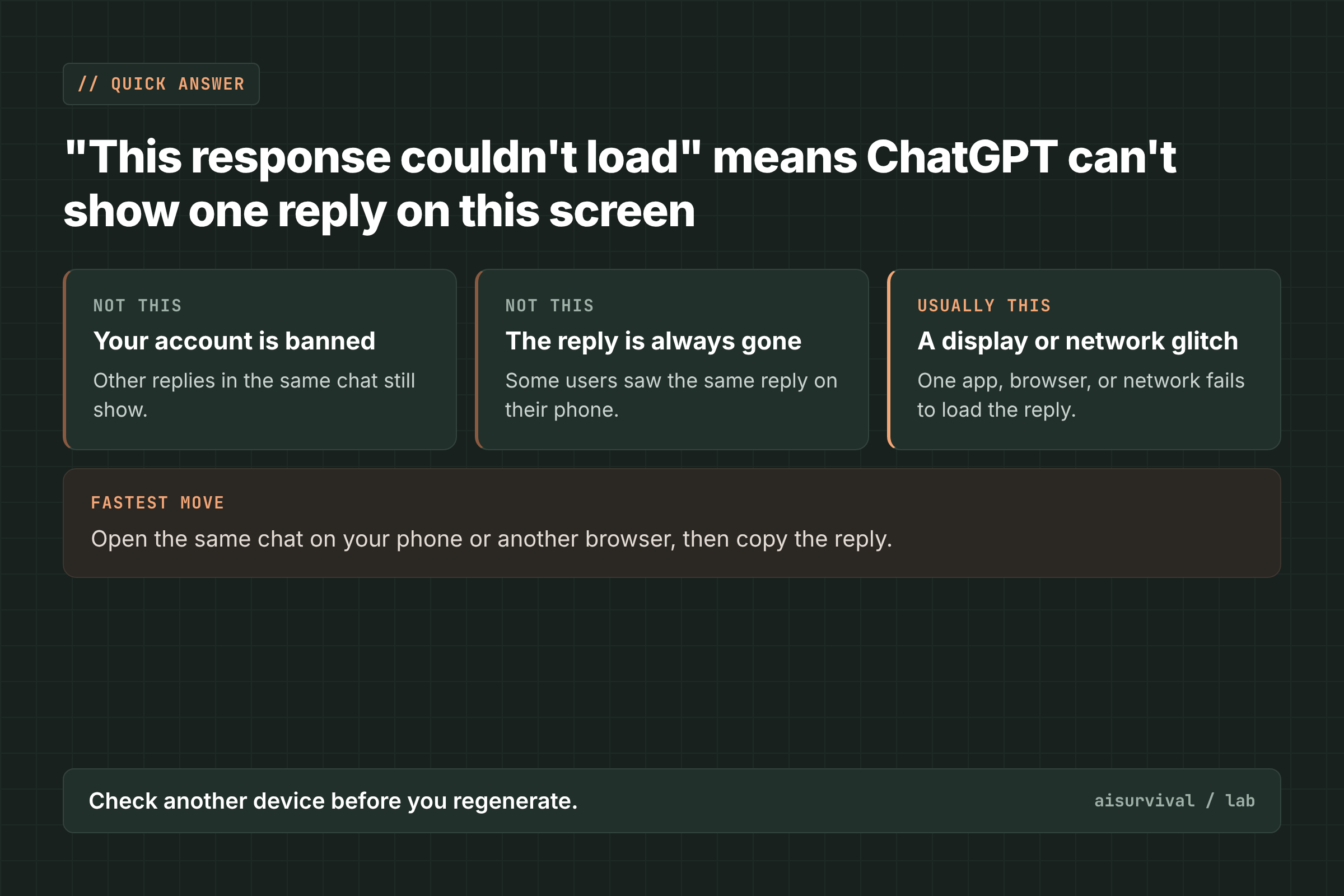
“This response couldn’t load” means ChatGPT can’t display a reply on the screen you’re using. It can replace an answer you already read, or show up right after you send a prompt. The fastest fix is to open the same chat on your phone or in another browser, where several users found the reply still readable.
Reports of this message grew in October 2026. Users posted it in the OpenAI community forum from the web, the Windows and Mac apps, and Edge (forum). One user filed it as a GitHub issue on October 11, 2026, and it was still open when we checked (GitHub).
Is “This response couldn’t load” the same as “Could not load this ChatGPT conversation”?
No. “This response couldn’t load” hits one reply inside a chat that otherwise opens. “Could not load this ChatGPT conversation” means the whole chat won’t open. Read the exact words first, because the first move is different for each.
| Message you see | What it means | What to do first |
|---|---|---|
| “This response couldn’t load” | One reply won’t display on this screen | Open the chat on another device |
| “Could not load this ChatGPT conversation” | The whole chat won’t open | Reload, then try another device |
| “Error in message stream” | The reply stopped before it finished | Retry once, then start a new chat |
| “A network error occurred” | Your device could not keep a connection | Turn off VPN, try another network |
| “Selected model is at capacity” | That model is full right now | Switch model or wait |
If the whole chat fails, read “Could not load this ChatGPT conversation”. If the answer gets cut off while it’s still writing, read ChatGPT “Error in message stream”.
What causes “This response couldn’t load”?
OpenAI has not published a cause. In the forum, OpenAI Support answered with troubleshooting steps, not a diagnosis. User reports point to four patterns.
- Some replies fail on one screen but load on another. A Windows app user said the replies showed on the phone app when the desktop app failed (forum). A Windows and Edge user said the same replies loaded on mobile (forum).
- A network path that blocks part of ChatGPT. A Mac user traced the failure to a request to
cdn.platform.openai.comthrough a proxy. Changing the proxy route made the old replies readable without regenerating them. The author called this “not an official fix” (forum). - The model in use. One Windows and Edge user said switching the chat from model 6 to 5.6 brought the replies back. They called it an observed workaround, not a confirmed diagnosis (forum).
- Rich replies in a long chat (unclear). The GitHub reporter saw two replies fail in a chat with uploaded chart screenshots and formatted answers. A hard refresh did not bring them back. The reporter said they did not know whether the rich content caused it (GitHub).
It’s not always your setup. One user cleared cache and site storage, switched browsers, used Incognito, and started a new chat, and the error stayed (forum).
How to fix “This response couldn’t load” (6 steps)
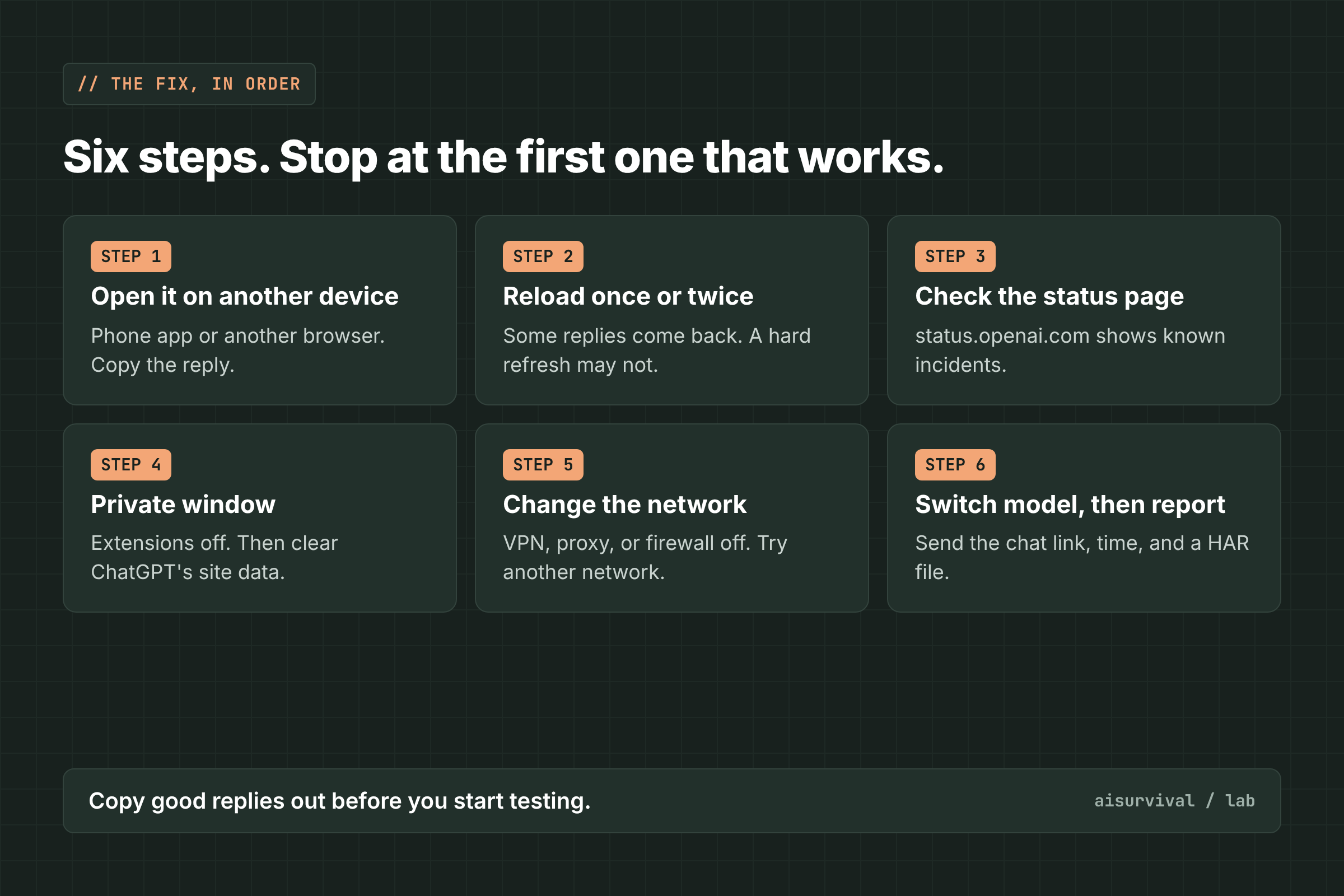
Go through these steps in order and stop at the first one that works: open the chat on another device, reload, check the status page, try a private window, change the network, then switch models and report it.
1. Open the same chat on another device
Open the chat in the ChatGPT phone app or a different browser. In several reports, the reply loaded there. Copy it out right away, so you don’t depend on the broken screen.
2. Reload once or twice
The forum poster who first described old replies vanishing said several page refreshes brought them back. It doesn’t always work: in the GitHub report, a hard refresh left the same two replies broken. Two tries is enough.
3. Check the status page
Open status.openai.com. If there is an open ChatGPT incident, wait for it to be resolved. When we checked on November 16, 2026, the only active incident was for Codex reviews, not ChatGPT conversations.
4. Try a private window with extensions off
OpenAI Support suggested an incognito or private window with extensions turned off, or another browser or app (forum). If the reply loads there, clear ChatGPT’s site cookies and cache in your normal browser. That was the support reply’s next step.
5. Change the network
Turn off any VPN or proxy, or try another network, such as your phone’s hotspot. OpenAI Support asked a user to compare behavior on a different network (forum). If you use a firewall or filter, the proxy case study above points to cdn.platform.openai.com as the request that failed.
6. Switch model, then report it
On a paid plan, try another model for that chat. One user said this fixed the display, but it’s a single report. If nothing works, contact OpenAI Support. A support reply asked for the chat link, the time and time zone, the model, your browser or app version, and a HAR file (a browser log of the failed request, with private data removed).
What usually does not help
- Hard refresh over and over. In the GitHub report, the same replies stayed broken after a cache-free refresh.
- Clearing everything on the same device during a wider problem. One user cleared cache and storage, used Incognito, and switched browsers, and still saw it.
- Regenerating right away. If the reply is readable on another device, regenerating replaces an answer you could have kept. This is our advice, not an OpenAI rule.
How do I avoid losing replies to this error?
- Copy any reply you need into a doc or notes app as soon as it lands.
- Keep the ChatGPT phone app signed in, so you have a second screen ready.
- Keep one task per chat, so a broken reply doesn’t block a long thread.
- If you use a VPN or proxy, know how to turn it off quickly.
Quick check
Question: One old reply shows “This response couldn’t load” on your laptop, but the rest of the chat looks fine. What do you try first?
Answer: Open the same chat on your phone or in another browser and copy the reply. Regenerate only if it fails there too.
Limits of this guide
- We did not reproduce this error. The causes and fixes come from user reports in the OpenAI community forum, one GitHub issue, OpenAI Support replies in the forum, and OpenAI’s status page.
- OpenAI has not confirmed a cause. The device, network, and model patterns come from a small number of users.
- The model-switch fix comes from one report. Model names and plans change often.
- Apps change fast. We checked these reports on November 16, 2026.
FAQ
Is my ChatGPT reply deleted when it says “This response couldn’t load”?
Not always. Several users found the same reply on their phone or after changing their network.
Why does ChatGPT work on my phone but not on my computer?
OpenAI hasn’t explained it. In reports, the desktop app or browser failed while the phone app loaded the same reply, which points to that screen or its network.
Does clearing my cache fix “This response couldn’t load”?
Sometimes. OpenAI Support suggested it if a private window works, but one user cleared cache and storage and still saw the error.
Can I send feedback on a reply that won’t load?
Often not, because the thumbs-down button may not appear. Contact OpenAI Support with the chat link and time instead.
What to read next
- “Could not load this ChatGPT conversation”: why it happens + 6 fixes
- ChatGPT “Error in message stream”: what it means + 6 fixes
- “Selected model is at capacity” in ChatGPT
Your turn: Did the reply show up on your phone, or was it gone everywhere? Tell us in the comments.
Sources
- GitHub openai/codex #53164: Two assistant responses show “This response couldn’t load” even after hard refresh (October 11, 2026)
- OpenAI Community: Several bugs after recent updates, “response couldn’t load” (October 2026, OpenAI Support reply November 11, 2026)
- OpenAI Community: Intermittent “This response couldn’t load” on Windows app and Edge; mobile works (October 16, 2026)
- OpenAI Community: “This response couldn’t load” on web/desktop, proxy-path workaround (October 21, 2026)
- OpenAI Community: ChatGPT response loading error prevents feedback submission (November 5, 2026, OpenAI Support reply November 6, 2026)
- OpenAI Status (checked November 16, 2026)
Leave a Reply