
What does 429 “Too many requests” mean in ChatGPT?
429 “Too many requests” means you hit a limit for now. In ChatGPT, that is usually a usage limit or too many requests in a short burst. In Codex, it shows up as “exceeded retry limit, last status: 429.” In the API, it means a rate limit or quota. The fastest fix is to stop retrying, wait for the reset time, and then send one message.
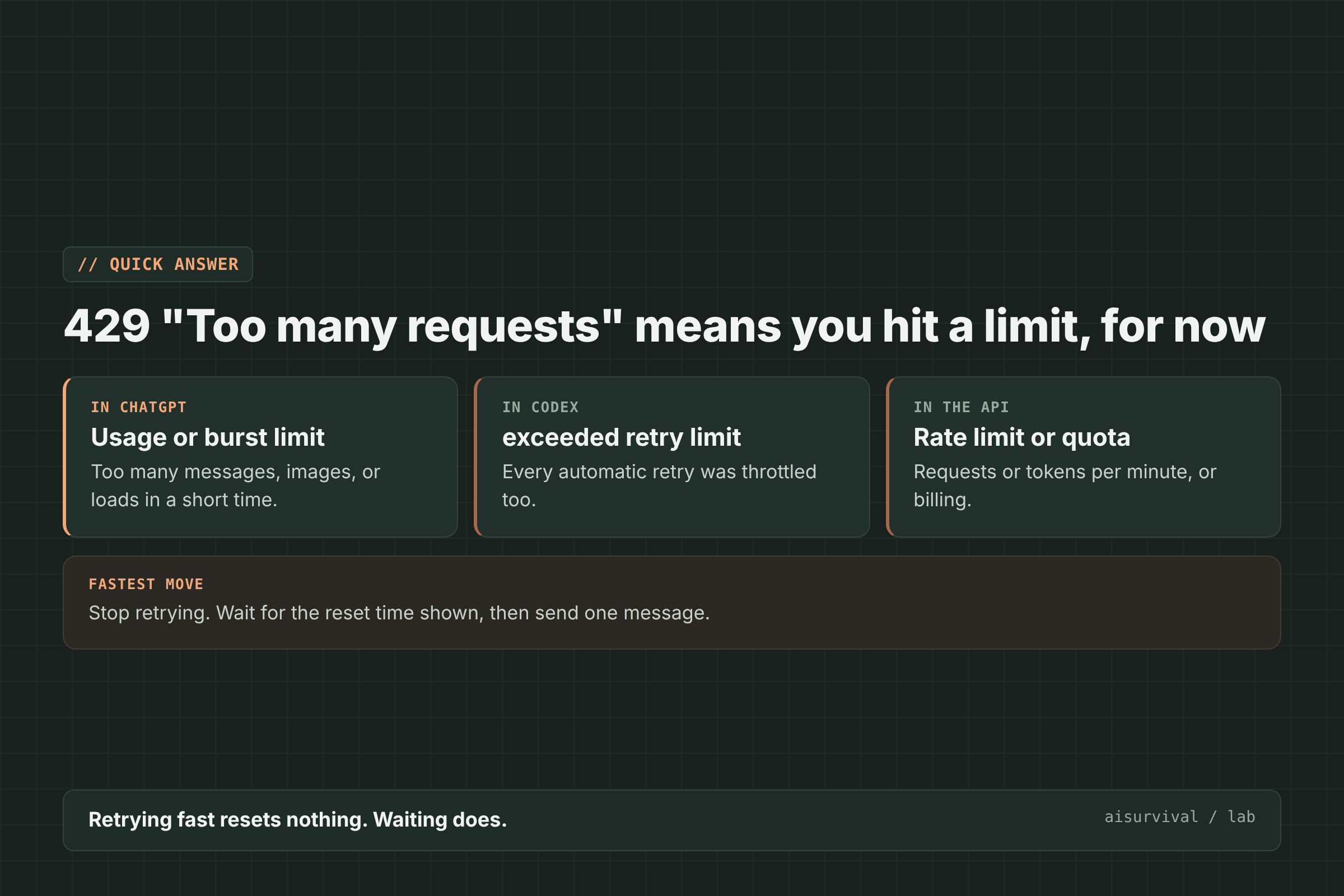
Below: how to tell which 429 you have, six fixes for ChatGPT and Codex, and how developers should handle it in the API.
On this page
- Which 429 is it?
- What causes it
- Fixes for ChatGPT and Codex (6 steps)
- Fixes for API developers
- Limits of this guide
- FAQ
Which 429 “Too many requests” error do I have?
The same 429 number appears in ChatGPT, Codex, and the OpenAI API, but each one needs a different fix. Some billing errors look like rate limits but will never clear by waiting. Read the exact message before you do anything.
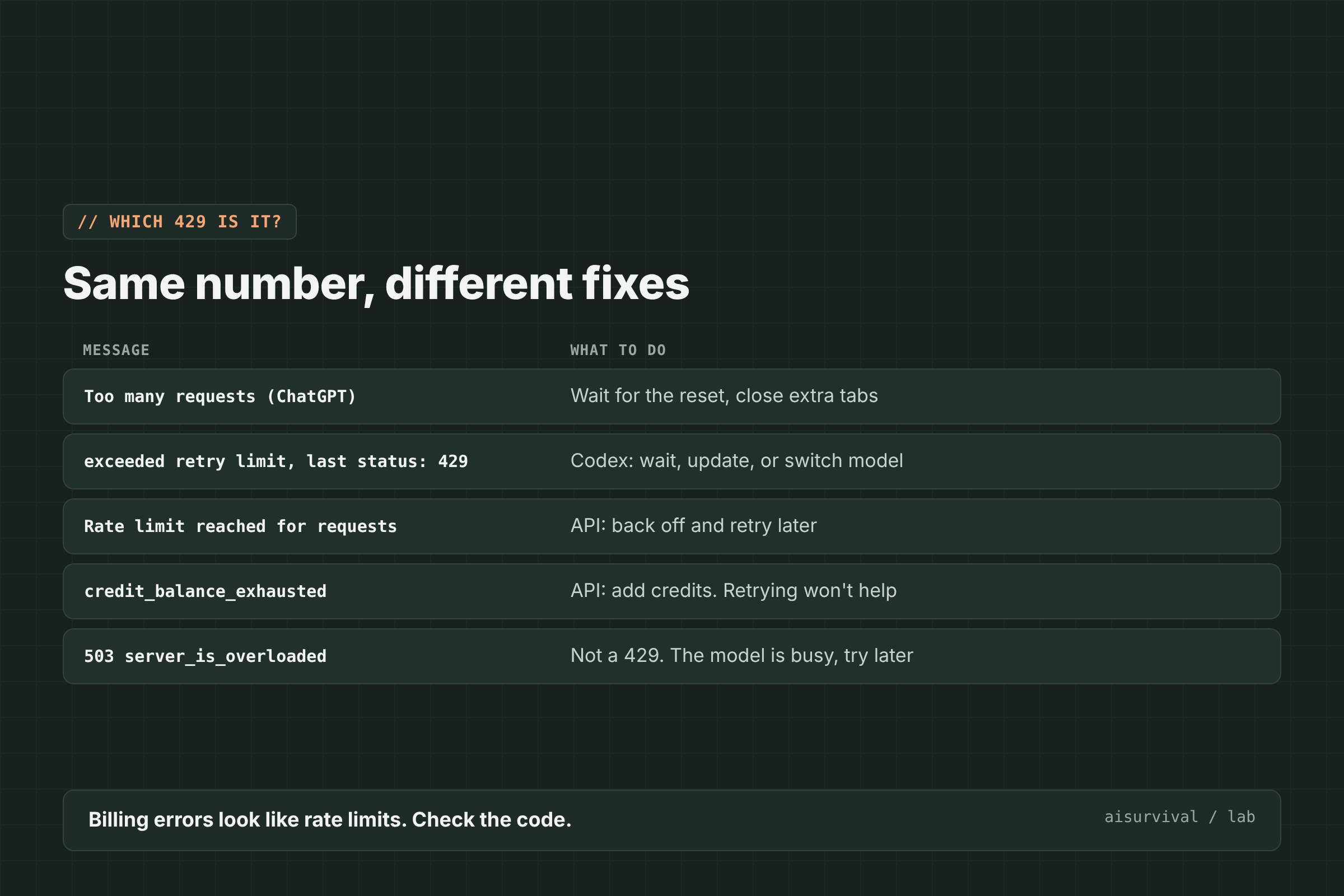
| Message you see | Where | What to do |
|---|---|---|
| Too many requests | ChatGPT app or web | Wait for the reset, close extra tabs |
| exceeded retry limit, last status: 429 Too Many Requests | Codex | Wait, update Codex, or switch to a lighter model |
| Rate limit reached for requests | API | Back off and retry later |
| credit_balance_exhausted (and other billing codes) | API | Fix billing or spend limits. Retrying will not help |
| 503 server_is_overloaded | API | Not a 429. The model is busy, try again later |
If a chat fails to open with this error, also see our guide to “Could not load this ChatGPT conversation”.
What causes “Too many requests” in ChatGPT?
In ChatGPT, “Too many requests” usually means you used up a plan allowance or sent many requests in a short burst. Users have hit it while working in several tabs, generating images back to back, or opening many chats quickly. ChatGPT and Codex plan limits are separate from API limits, so upgrading one does not raise the other (DataStudios).
- Several tabs at once. A Pro user saw “Too many requests” while using two or three tabs, and chat history stopped loading after opening one more (OpenAI Community).
- Image generation bursts. The same user saw the popup every time an image was generated.
- Opening many chats fast. Another user saw the web app return {“detail”:”Too many requests”} while opening conversations (OpenAI Community).
- A plan allowance. In ChatGPT and Codex, the limit resets on a schedule shown in the app or dashboard.
How to fix 429 “Too many requests” in ChatGPT and Codex (6 steps)
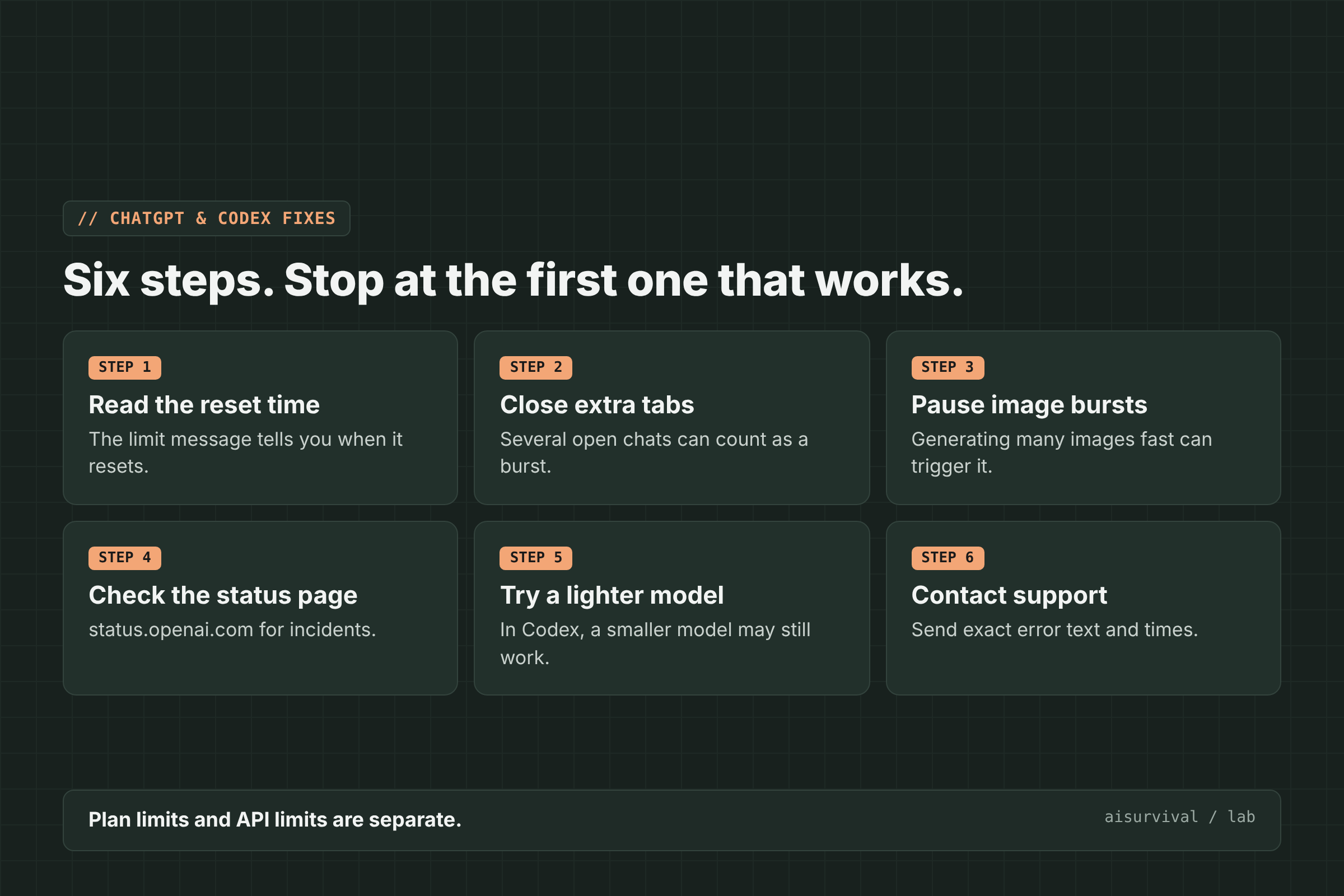
To fix “Too many requests” in ChatGPT or Codex, read the reset time, close extra tabs, pause image bursts, check the status page, try a lighter model in Codex, and contact support if it continues. Stop at the first step that works.
1. Read the reset time
If the message shows when your limit resets, that is the most reliable guide. Retrying before the reset does not make it come sooner.
2. Close extra tabs
Keep one ChatGPT tab open. Several open chats can add up to a burst of requests.
3. Pause image bursts
If you are generating many images, slow down. One user saw the error after each image.
4. Check the status page
Open status.openai.com. During an incident, limits can be stricter and errors more common.
5. Try a lighter model (Codex)
In Codex, if your plan allowance still has room, wait a few minutes, update the Codex tool, or switch to a lighter model. If the dashboard shows the allowance is used up, wait for its reset.
6. Contact support
If the error keeps happening when you are not near your limit, send OpenAI support the exact error text and the times you saw it. OpenAI support has asked users for exactly this (thread).
How should developers handle 429 errors in the OpenAI API?
In the API, handle 429 by waiting and retrying carefully: respect the Retry-After header when it is present, use exponential backoff with jitter, cap your retries, and avoid stacking your own retries on top of the SDK’s. Billing codes such as credit_balance_exhausted need a billing fix, not retries (DataStudios).
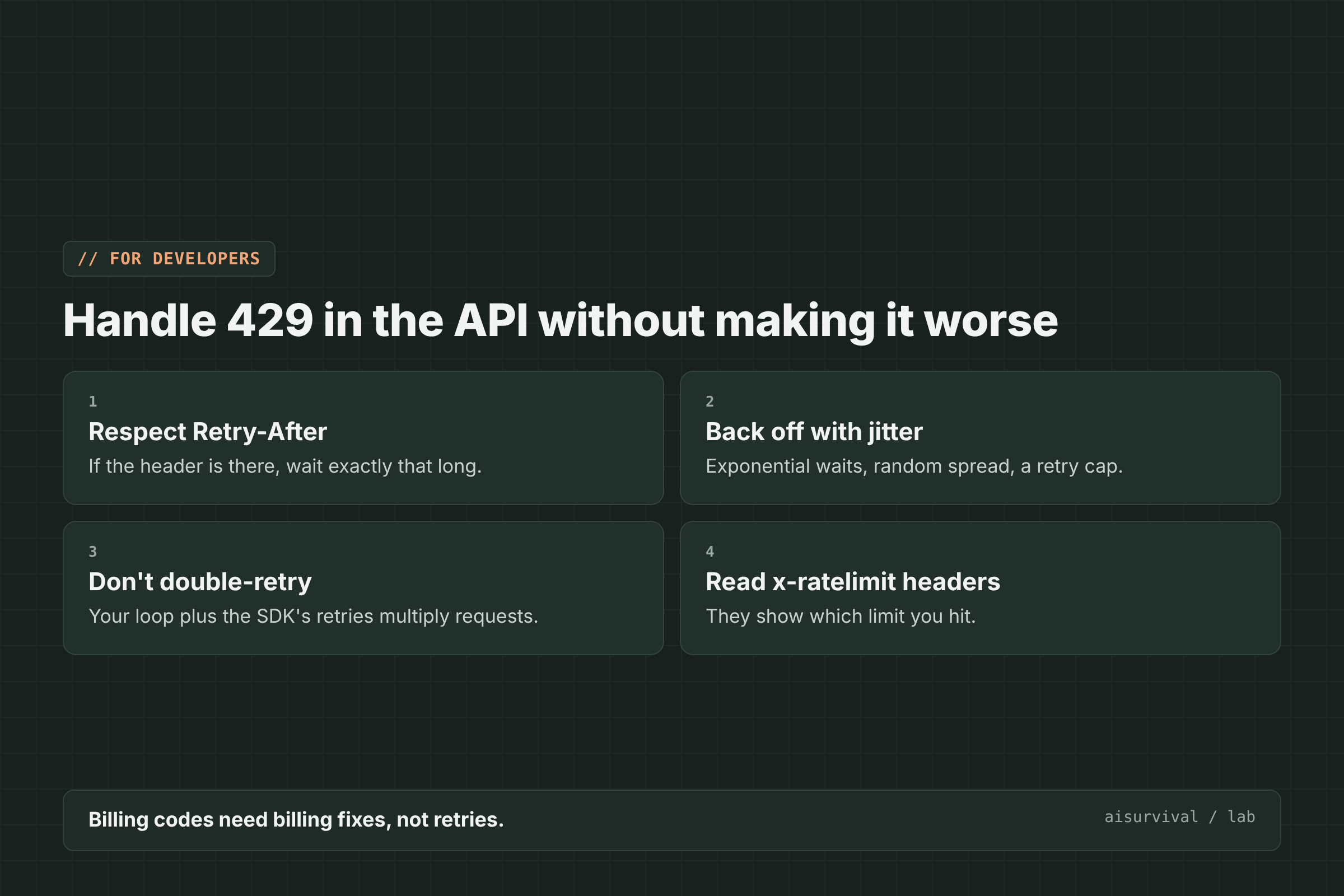
- Respect Retry-After. If the response includes it, wait that long.
- Back off with jitter. Wait longer after each failure, add a random spread, and cap the total.
- Do not double-retry. Your retry loop plus the SDK’s built-in retries multiply the requests.
- Read the x-ratelimit headers. They show whether you hit a request or token limit.
- Move non-urgent jobs to the Batch API. It takes load off your live limits.
Limits of this guide
- We did not reproduce these errors on purpose. The causes come from the OpenAI community forum and a detailed write-up by DataStudios that cites OpenAI’s documentation.
- We could not load OpenAI’s own help center article on 429 errors while writing this.
- Limits change by plan and model. We checked these reports on November 13, 2026.
FAQ
How long does a ChatGPT “Too many requests” limit last?
It depends on your plan and what you were doing. When ChatGPT shows a reset time, use that. Short bursts often clear within minutes.
Does upgrading my ChatGPT plan raise my API limits?
No. ChatGPT and Codex plan allowances are separate from API rate limits.
Is 429 the same as “model is at capacity”?
No. 429 is about your requests. “At capacity” means the model is busy for everyone. See our guide to “Selected model is at capacity”.
Will retrying fix it faster?
No. In ChatGPT, retrying before the reset does not shorten the wait. In the API, fast retries can make throttling worse.
Keep going
This post is part of our AI Tool Fixes series on working as a team of one with AI as your teammate. For other ChatGPT errors, see {“detail”:”Bad Request”} in ChatGPT and “Selected model is at capacity”.
Your turn: Which AI tool error should we explain next? Tell us in the comments.