
Summary
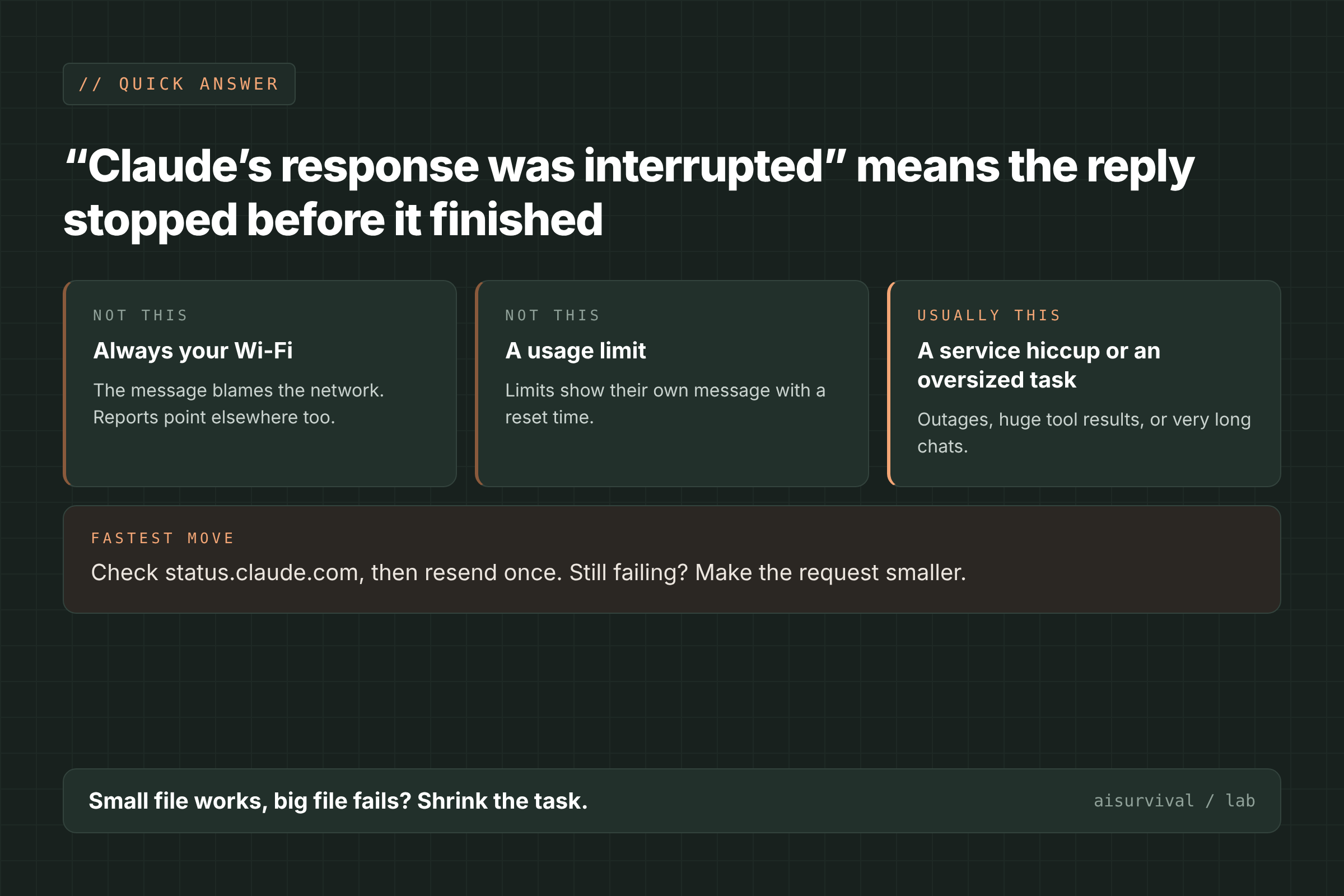
- What it means: Claude’s reply stopped before it finished, and the app couldn’t complete it.
- The fastest fix: Check status.claude.com, resend once, and if it fails again, make the request smaller or start a new chat.
- When it’s not on your side: If status.claude.com shows an open incident, wait for it to be resolved; no setting on your end will fix it.
AI Tool Fixes · Claude errors
On this page
- What does “Claude’s response was interrupted” mean?
- Which Claude error messages look alike?
- What causes “Claude’s response was interrupted”?
- How to fix “Claude’s response was interrupted” (6 steps)
- How do I stop it from happening again?
- Copy-and-paste prompt: ask a tool for less
- Quick check
- Limits of this guide
- FAQ
What does “Claude’s response was interrupted” mean?
“Claude’s response was interrupted” means Claude’s reply stopped partway, or never arrived, and the app gave up on it. The message blames your network, but in user reports it often shows up with a working connection. The fastest fix is to check status.claude.com, resend once, and then make the request smaller.
The full text reads: “Claude’s response was interrupted. Please check your network connection or contact support if the issue persists.” Anthropic’s error-message help page doesn’t list it (Claude Help Center, checked November 19, 2026). Most public reports come from Claude Desktop users running MCP servers, which are add-ons that let Claude call outside tools such as GitHub or a code editor.
Which Claude error messages look alike?
Several Claude messages sound like “it stopped.” They need different first moves, so read the exact words. The wording comes from Anthropic’s help pages and docs, and from one GitHub report, checked November 19, 2026.
| Message you see | What it means | What to do first |
|---|---|---|
| “Claude’s response was interrupted. Please check your network connection…” | The reply was cut off or never arrived | Check status, resend once, then shrink the request |
| “Due to unexpected capacity constraints, Claude is unable to respond to your message…” | Temporary load on Anthropic’s side, not an outage (Help Center) | Try again soon |
| “Your message will exceed the length limit for this chat…” | This chat is too long | Attach fewer or smaller files, or start a new chat |
| “5-hour limit reached - resets [time]” | Your usage budget is used up | Wait for the reset (see our 5-hour limit guide) |
| “Conversation compaction failed” | Claude couldn’t shrink a long chat to keep going (GitHub #20696) | Start a new chat with a summary |
| “Connection lost mid-response” (Claude Code) | The terminal tool lost the stream partway (Claude Code docs) | Follow the Claude Code error page |
Only the interrupted message points at your network. That’s the one this guide covers.
What causes “Claude’s response was interrupted”?
Anthropic hasn’t published a cause for this exact message. The list below comes from its status page, its help pages, and user and maintainer comments on GitHub.
- A problem on Anthropic’s side. The status page logged two “Elevated errors” incidents affecting claude.ai on November 13, 2026, and a 32-minute “Claude App and API connectivity errors” incident on September 22, 2025 (status.claude.com). The status page doesn’t say which messages users saw. A Desktop Commander maintainer said of one report, “Looks like it was on Claude side” (GitHub #98).
- A VPN, firewall, or unstable network. For API connection errors, Anthropic points to “your firewall, network, or VPN” (Claude Help Center). The same Desktop Commander maintainer said a VPN sometimes played a part.
- A tool returned too much. One user got the error when reading a large README through the GitHub MCP server, while a small LICENSE file worked (GitHub #127). Another hit it with a code search on a large repository (#257). In a JADX plugin report, a small app file worked where a large one failed (jadx-ai-mcp #8).
- Complex or long-running requests. A JetBrains plugin user said simple prompts worked but complex ones, such as writing onboarding docs, failed (mcp-jetbrains #41). A browser-automation run failed after about one minute (mcp-browser-use #2).
- Very long chats. In a 2026 report about failing compaction on claude.ai, one user saw the interrupted message during repeated retries in long sessions (GitHub #20696).
How to fix “Claude’s response was interrupted” (6 steps)
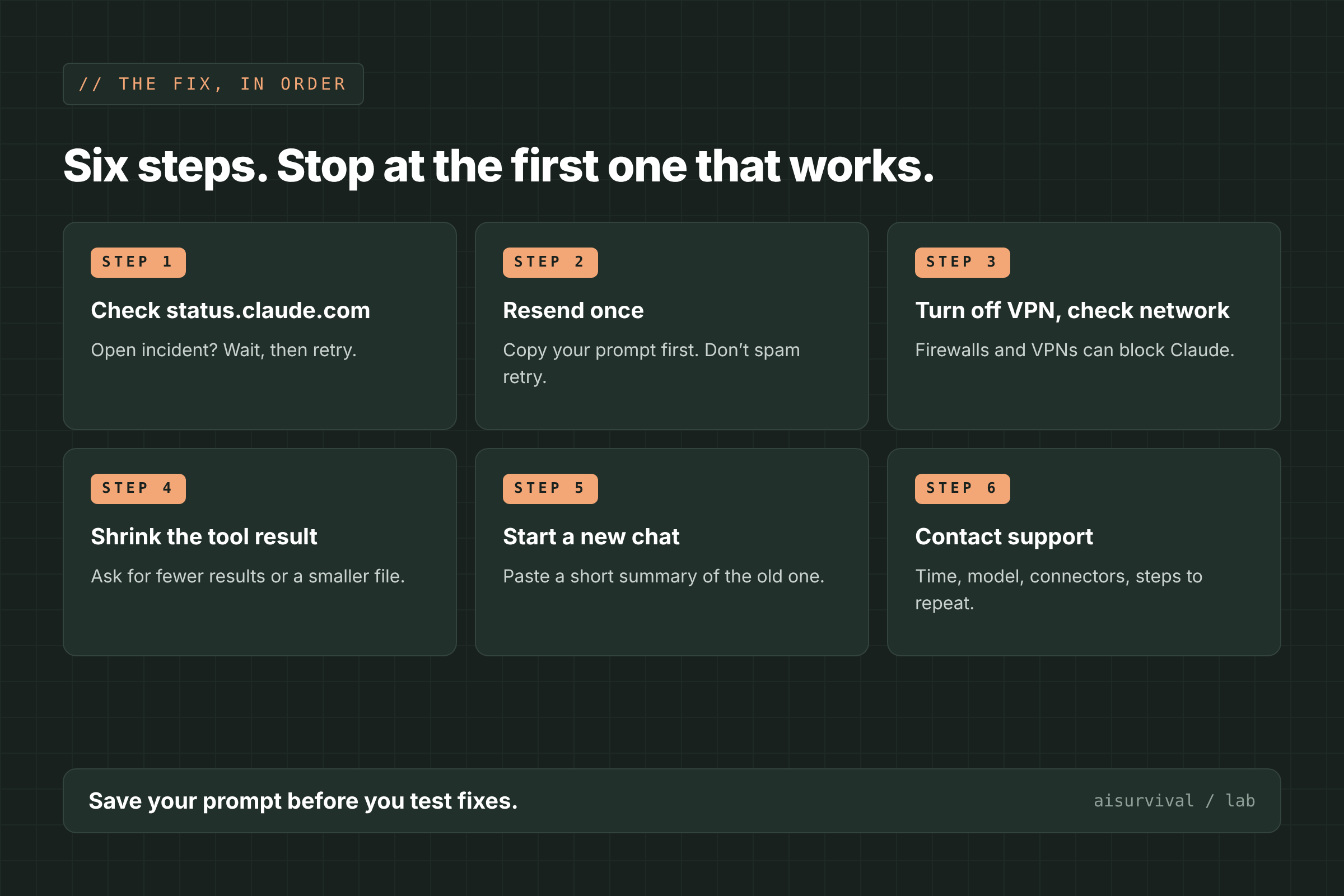
Go in this order and stop at the first step that works: check status, resend once, rule out your network, shrink the tool result, start a new chat, then contact support.
1. Check status.claude.com
Open status.claude.com and look at claude.ai and any connector you were using. If there’s an open incident, wait for the “Resolved” update before you change anything on your side.
2. Copy your prompt, then resend once
Copy your message before you retry. In one report, the error wiped the prompt and the tool output from the screen (mcp-browser-use #2). Then resend it one time. If the cause was a brief problem on Anthropic’s side, the next try may work.
3. Turn off your VPN and check your network
Pause your VPN, proxy, or work firewall and try again. Anthropic lists these as the usual causes of API connection errors. If you’re on a work network, try a home or phone hotspot once to compare.
4. Make the tool result smaller
If the error happens while Claude is calling a tool, ask for less. A GitHub MCP maintainer suggested adding a line like “limit the search to 10” so the tool returns fewer results (#257). Point Claude at one folder or one smaller file instead of a whole repository or a large file.
5. Start a new chat with a short summary
A long chat carries everything that came before it. In #127, a user said a new context window fixed it, and in #20696, a user moved on by starting a new chat. Paste only what Claude needs: the goal, key decisions, and the current file or text.
6. Contact support with details
If it still fails on a small request in a fresh chat, the message itself says to contact support. Include the time and time zone, your plan, the model, the app (web, Desktop, or mobile), any connectors or MCP servers turned on, and the shortest prompt that triggers it.
What usually does not help
- Retrying over and over during an incident. If the status page shows a problem, the retries fail for the same reason.
- Reinstalling the MCP server first. When simple prompts work and only large ones fail, the server is working. The size of the request is the thing to change.
- Restarting your router when only one request fails. If other chats load fine, your connection isn’t the main suspect.
How do I stop it from happening again?
- Ask tools for small, specific results: one file, one folder, or the first 10 matches.
- Split big jobs into steps, and check each step before you ask for the next.
- Start a new chat for each new task instead of extending one long thread.
- Check status.claude.com before a long session, especially one with connectors.
Copy-and-paste prompt: ask a tool for less
Use this when the error appears during a tool call. Replace anything in [brackets].
Prompt: smaller tool request
Use [tool or connector name] to [task].

Keep the tool output small:
- Look only in [one folder, file, or date range].
- Return at most 10 results.
- Show file paths and one line each, not full contents.

After that, stop and ask me which result to open next.
Quick check
Question: Claude Desktop shows “Claude’s response was interrupted” when it reads a large file through an MCP server. A small file works. The status page is all green. What’s your next move?
Answer: Make the request smaller. Ask for one section of the file or fewer results, and start a new chat if the current one is long.
Limits of this guide
- We did not reproduce this error. This guide is based on Anthropic’s help and status pages and on the GitHub reports listed below.
- Anthropic hasn’t published a cause for this exact message. The causes above come from users and tool maintainers, and some are their guesses.
- Most public reports are from 2025 and involve MCP servers in Claude Desktop. Your setup may differ.
- Error wording and status incidents change. We checked these reports on November 19, 2026.
FAQ
Is Claude down when it says the response was interrupted?
Sometimes. Check status.claude.com; if there’s no open incident, the problem is more likely the size of the request or your network.
Does this error use up my Claude usage?
Anthropic doesn’t say on its help pages. If you’re close to a limit, check Settings → Usage before you retry many times.
Why does it happen with MCP servers in Claude Desktop?
In GitHub reports, it often appeared when a tool returned a large result or ran for a long time. Small requests to the same server worked.
Will I lose my chat?
Anthropic doesn’t say. One user reported the prompt and tool output disappearing, so copy long prompts before you retry.
What to read next
- Claude “5-hour limit reached”: what it means + 6 fixes
- Claude Code “OAuth request failed” or logged out mid-session: 6 fixes
- ChatGPT “Error in message stream”: what it means + 6 fixes
Your turn: Were you using a connector or MCP server when Claude’s response was interrupted? Tell us in the comments.
Sources
- Claude Help Center: Troubleshoot Claude error messages (checked November 19, 2026)
- Claude Help Center: I’m getting an API connection error (checked November 19, 2026)
- Claude status page: November 2026 incident history (checked November 19, 2026)
- Claude status: Claude App and API connectivity errors (September 22, 2025)
- Claude Code docs: Errors (checked November 19, 2026)
- GitHub github/github-mcp-server #127: Interrupted when reading a large file (April 5, 2025)
- GitHub github/github-mcp-server #257: Interrupted during code search on a large repository (April 13, 2025)
- GitHub wonderwhy-er/DesktopCommanderMCP #98: Claude’s response was interrupted (May 1, 2025)
- GitHub JetBrains/mcp-jetbrains #41: Receiving a lot “Claude’s response was interrupted” (April 21, 2025)
- GitHub zinja-coder/jadx-ai-mcp #8: Every prompt returns the interrupted error (April 21, 2025)
- GitHub vinayak-mehta/mcp-browser-use #2: Interrupted after a one-minute run (March 16, 2025)
- GitHub anthropics/claude-code #20696: Conversation compaction fails or deadlocks chats on claude.ai (January 25, 2026)
Leave a Reply