
Summary
- What it means: You’ve used up Claude’s five-hour session budget, so new messages wait until the reset time shown in the message.
- The fastest fix: Open Settings → Usage, check the reset time, then wait or turn on usage credits (paid plans).
- When it’s not on your side: If Usage shows room left, or the reset time has passed and you’re still blocked, check status.claude.com and report it.
AI Tool Fixes · Claude errors
On this page
- What does “5-hour limit reached” mean in Claude?
- Which Claude limit messages look alike?
- What causes “5-hour limit reached” in Claude?
- How to fix “5-hour limit reached” in Claude (6 steps)
- How do I make my Claude usage last longer?
- Quick check
- Limits of this guide
- FAQ
What does “5-hour limit reached” mean in Claude?
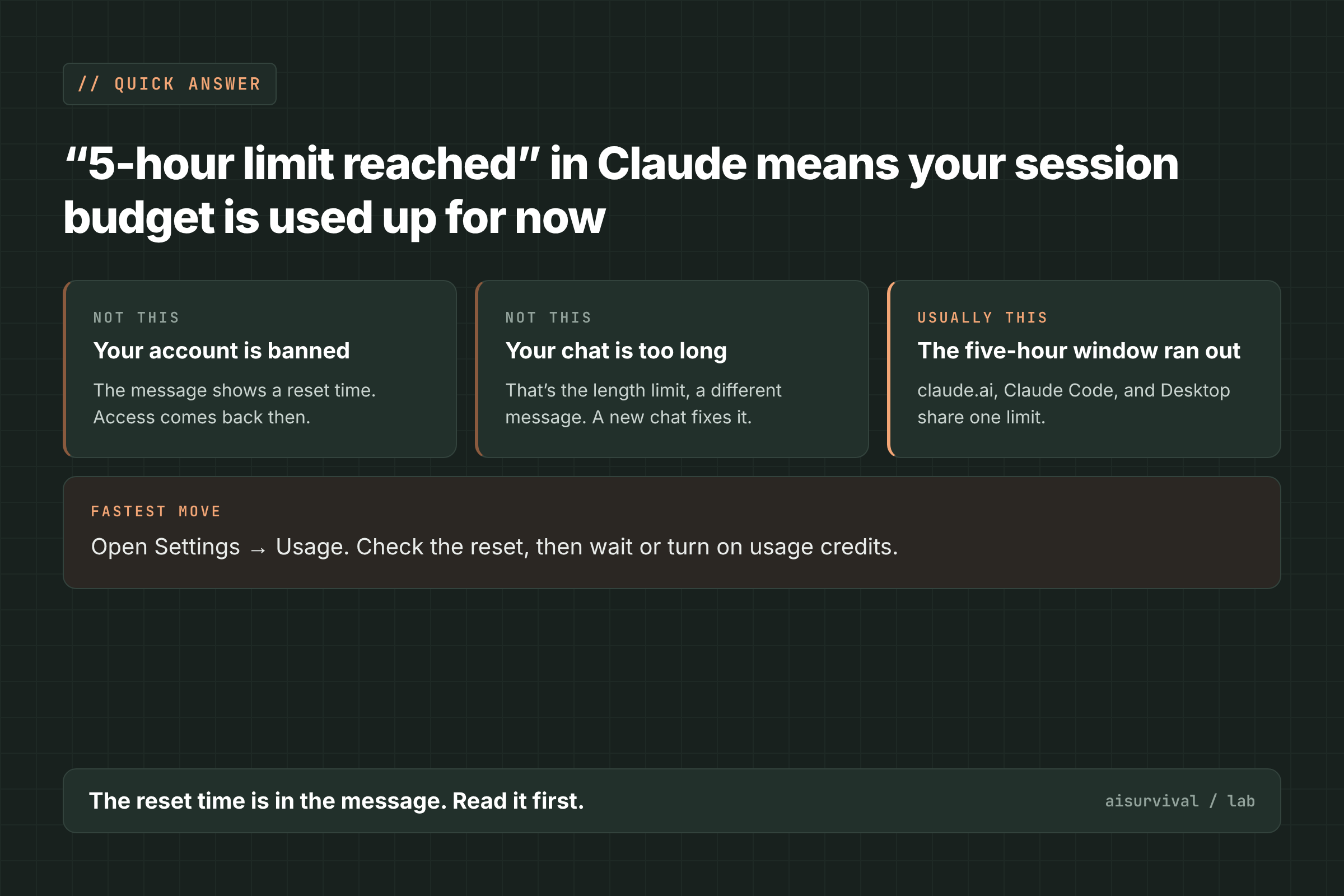
“5-hour limit reached” means you’ve used your Claude session budget, and new messages are blocked until the reset time in the message. It’s a timer, not a ban. The fastest fix is to open Settings → Usage, check when it resets, and either wait or continue on usage credits.
The five-hour window starts with your first message and resets fully five hours later. Usage in claude.ai, Claude Code, and Claude Desktop counts toward the same limit, according to Anthropic’s help page on usage limits (Claude Help Center, checked November 18, 2026). Claude Code shows similar wording, such as “You’ve hit your 5-hour limit · resets 6:20pm” (GitHub #107105).
Which Claude limit messages look alike?
Claude has several messages that sound like “limit.” They need different first moves, so read the exact words. The wording below comes from Anthropic’s error-message help page (Claude Help Center, checked November 18, 2026).
| Message you see | What it means | What to do first |
|---|---|---|
| “Approaching session limit” / “Approaching weekly limit” | A warning; you can still send | Finish or save the current task |
| “5-hour limit reached - resets [time]” | The five-hour session budget is used up | Wait for the time shown, or use usage credits |
| “You’ve reached your weekly limit. It resets [day] at [time].” | The weekly budget is used up | Check Settings → Usage for the reset day |
| “5-hour limit resets [time] - continuing with usage credits” | Not an error; credits are now paying for usage | Watch your monthly spend limit |
| “Your message will exceed the length limit for this chat…” | This one chat is too long (context window) | Start a new conversation |
| “Due to unexpected capacity constraints, Claude is unable to respond…” | Temporary load on Anthropic’s side | Try again in a few minutes |
Only the length-limit message is fixed by a new chat. The usage limits apply to your account, so a new chat won’t get around them.
What causes “5-hour limit reached” in Claude?
The first cause is documented by Anthropic. The others come from user reports on GitHub, and Anthropic hasn’t confirmed them.
- Your session budget ran out (official). Conversation length, features, the model you pick, and the effort level all affect how fast usage builds up. Tools such as web search and connectors use a lot of tokens (Claude Help Center).
- Another Claude surface used the same budget (official). A long Claude Code session or a Desktop cloud task draws from the same limit as your chats. Several users reported sessions that kept running or resumed on their own after a reset (GitHub #109455, #108211).
- The meter seems to fill faster than before (reported). Since mid-October 2026, users on Max, Ultra, and Team or Enterprise seats have reported hitting limits with less work than before. One user compared local logs and found a window that hit the limit at about one-sixth of the output tokens of earlier windows (GitHub #105621, #108661, #110480).
- The limit shows up with usage left or after the reset (reported). A Pro user saw “Usage limit reached” in Claude Code while Settings showed 0% used, and the web app worked at the same time (GitHub #62125). Another user was still blocked an hour after the reset time shown (#107105).
- Usage carried over after an upgrade (reported). Anthropic says upgraded limits apply right away. One user who moved from Pro to Ultra said the usage percentage carried over, so the weekly limit still showed as reached (GitHub #108206).
How to fix “5-hour limit reached” in Claude (6 steps)
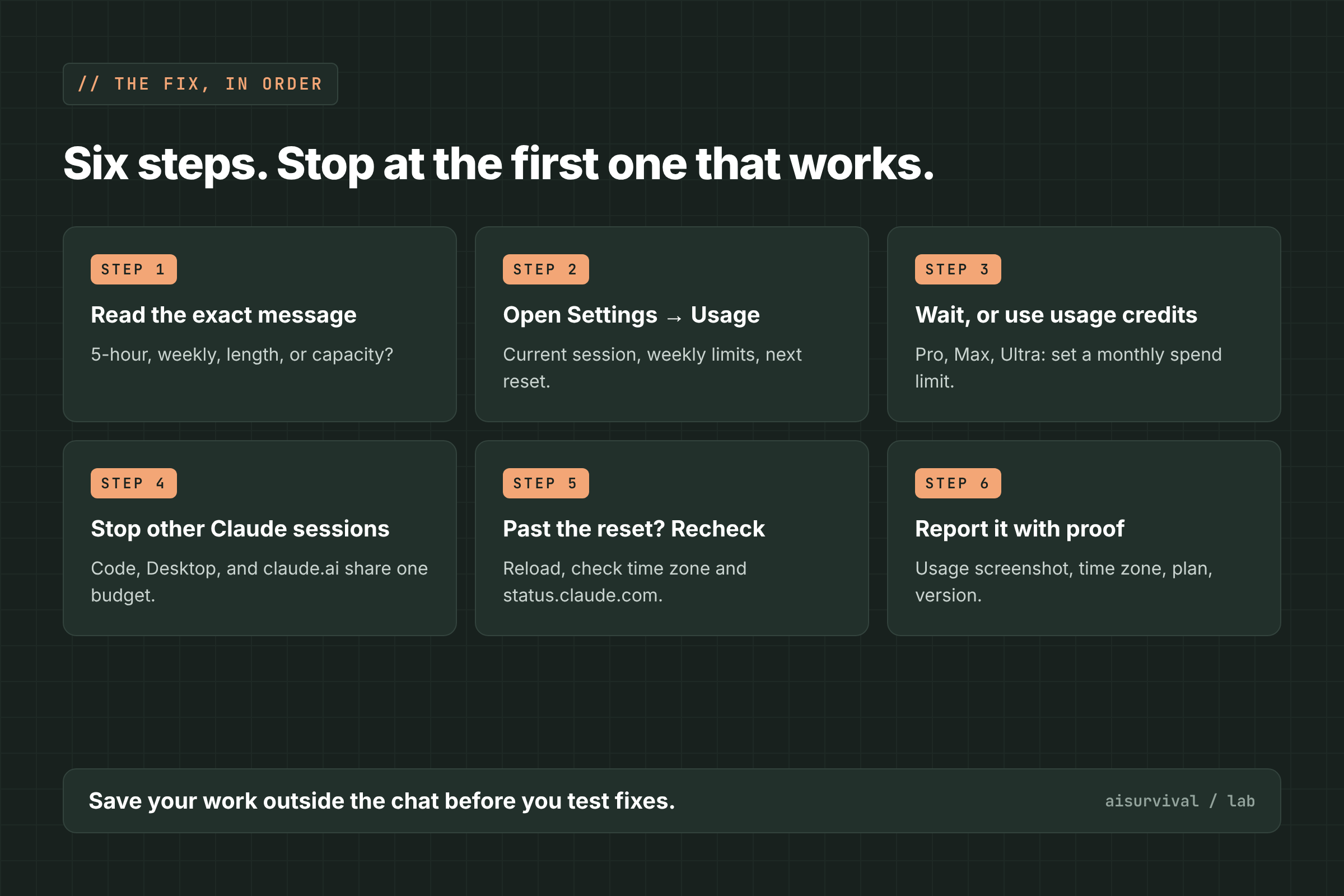
Go in this order and stop at the first step that works: read the message, check Usage, wait or use credits, stop other sessions, recheck after the reset, then report it.
1. Read the exact message
Check whether it says five-hour, weekly, length, or capacity. Use the table above. A five-hour message gives a time; a weekly message gives a day and a time.
2. Open Settings → Usage
Settings → Usage shows your current session, your weekly limits, and the next reset. Some plans also have a separate weekly limit for Fable. If one bar is at 100%, the message is accurate, and you can plan around the reset.
3. Wait for the reset, or continue on usage credits
On Pro, Max, and Ultra, you can turn on usage credits in Settings → Usage. They’re billed at standard API rates once you pass your plan’s limit, and the indicator changes to “Now using credits” (Claude Help Center, checked November 18, 2026). Set a monthly spend limit with “Adjust limit” before you buy, so a long task can’t run up a surprise bill.
4. Stop other Claude sessions that share the budget
Close Claude Code sessions, background agents, and Desktop cloud tasks you aren’t using. They count toward the same limit as your chats. This matters most right after a reset, when some users saw stopped sessions resume and use the new window.
5. Past the reset time? Reload and check your time zone
Reload the page or restart the app once. Then compare the reset time with your clock: one user on Windows, with the time zone set to British Columbia, found the desktop app showed reset times an hour early (GitHub #106456). Also check status.claude.com for an open incident.
6. Report it with a Usage screenshot
If Usage shows room left and you’re still blocked, report it. Include a screenshot of Settings → Usage, the exact message, the time and time zone, your plan, and your app or Claude Code version. In Claude Code, the /feedback command sends a report; several GitHub reports above include its feedback ID.
What usually does not help
- Starting a new chat. Usage limits apply to your account, not to one conversation.
- Switching models. Anthropic says weekly limits apply across all models. Switching only helps if you hit a separate model limit, such as the Fable weekly limit.
- Signing out and back in. In #62125 and #108206, re-login didn’t change the limit.
How do I make my Claude usage last longer?
Anthropic lists these ways to save usage (Claude Help Center):
- Keep project instructions short and remove project files you don’t use.
- Turn thinking off where there’s a toggle, or lower the effort level for routine tasks.
- Disconnect apps and connectors you don’t need, and turn off web search when you don’t need current information.
- Watch for the “Approaching session limit” warning, and save your work outside the chat when it appears.
Quick check
Question: Claude says “5-hour limit reached - resets 4:10pm.” You start a new chat. Will it work?
Answer: No. The limit is on your account, so wait until 4:10 p.m. or continue on usage credits if your plan has them.
Limits of this guide
- We did not reproduce this error. The official parts come from Anthropic’s Help Center; the rest comes from user reports on GitHub.
- Anthropic hasn’t explained the reports of faster-draining limits, limits with usage left, or usage carried over after an upgrade. Each comes from a small number of users.
- The time-zone and auto-resume reports each come from one or two users.
- Plans, limits, and wording change often. We checked these reports on November 18, 2026.
FAQ
How long is the Claude 5-hour limit?
The window starts with your first message and resets fully five hours later. The exact reset time appears in the message and in Settings → Usage.
Does Claude Code use the same limit as claude.ai?
Yes. Anthropic says usage across claude.ai, Claude Code, and Claude Desktop counts toward the same limit.
Can I keep using Claude after the limit without waiting?
On Pro, Max, and Ultra, you can turn on usage credits and continue at API rates. You can also upgrade, and Anthropic says upgraded limits apply right away.
Do Ultra plans have a 5-hour limit?
Anthropic says verified Ultra accounts don’t have a five-hour limit, though weekly limits still apply. One Ultra user reported still seeing five-hour limits (GitHub #106359).
What to read next
- Claude Code “OAuth request failed” or logged out mid-session: 6 fixes
- ChatGPT Work “Message limit reached”: why it happens + 6 fixes
- ChatGPT 429 “Too many requests”: what it means + 6 fixes
Your turn: Did Settings → Usage show 100% when Claude blocked you, or did it show room left? Tell us in the comments.
Sources
- Claude Help Center: Usage and length limits (checked November 18, 2026)
- Claude Help Center: Troubleshoot Claude error messages (checked November 18, 2026)
- Claude Help Center: Manage usage credits for paid Claude plans (checked November 18, 2026)
- GitHub anthropics/claude-code #105621: Usage limits drain drastically faster since mid-October 2026 (opened October 28, 2026)
- GitHub anthropics/claude-code #108661: 5-hour limit reached with far less usage than earlier windows (November 9, 2026)
- GitHub anthropics/claude-code #110480: Premium seat usage limits exhausted faster since week of November 9, 2026 (November 16, 2026)
- GitHub anthropics/claude-code #107105: “You’ve hit your 5-hour limit” not reset after the reset time (November 4, 2026)
- GitHub anthropics/claude-code #108206: Weekly limit reported as reached after upgrading Pro to Ultra (November 7, 2026)
- GitHub anthropics/claude-code #62125: Usage limit reached despite 0% usage shown in Settings (May 25, 2026)
- GitHub anthropics/claude-code #106456: Desktop app shows reset times one hour early on Windows (October 31, 2026)
- GitHub anthropics/claude-code #109455: Limit-stopped session auto-resumes at usage reset (November 13, 2026)
- GitHub anthropics/claude-code #108211: Headless claude -p waits through a usage limit and auto-resumes (November 7, 2026)
- GitHub anthropics/claude-code #106359: 5-hour limits still applied for Ultra plans (October 31, 2026)
Leave a Reply