
QUICK ANSWER
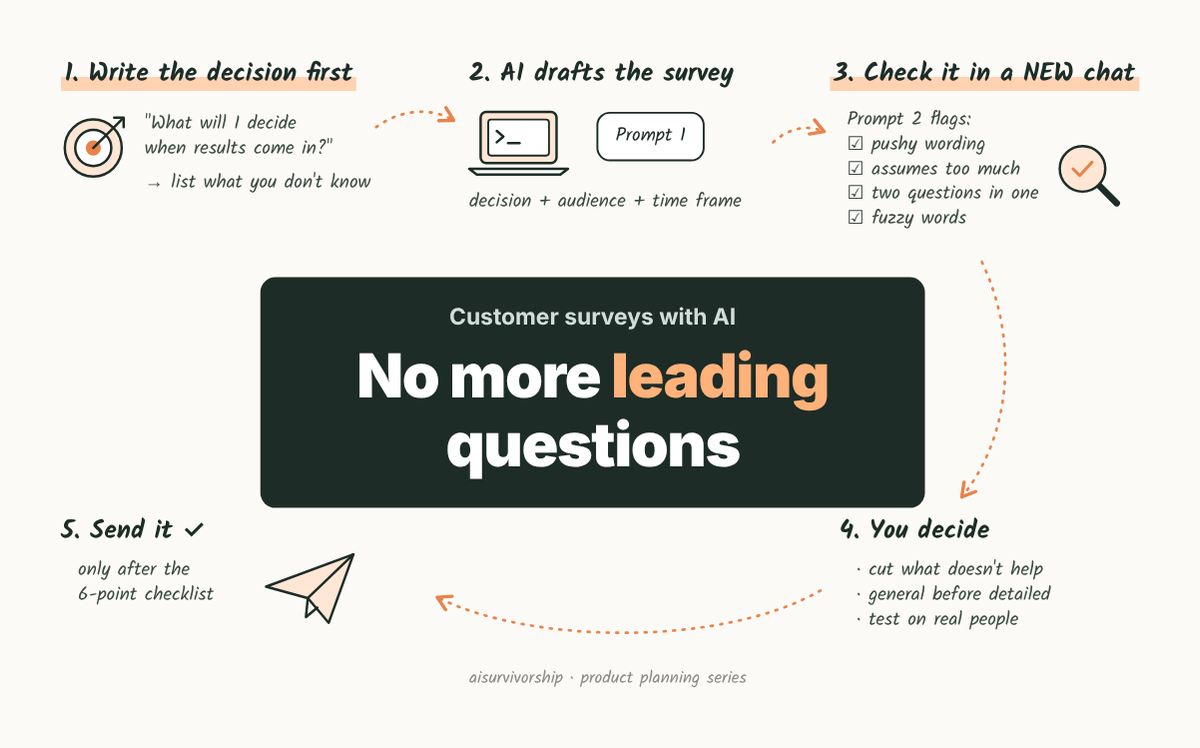
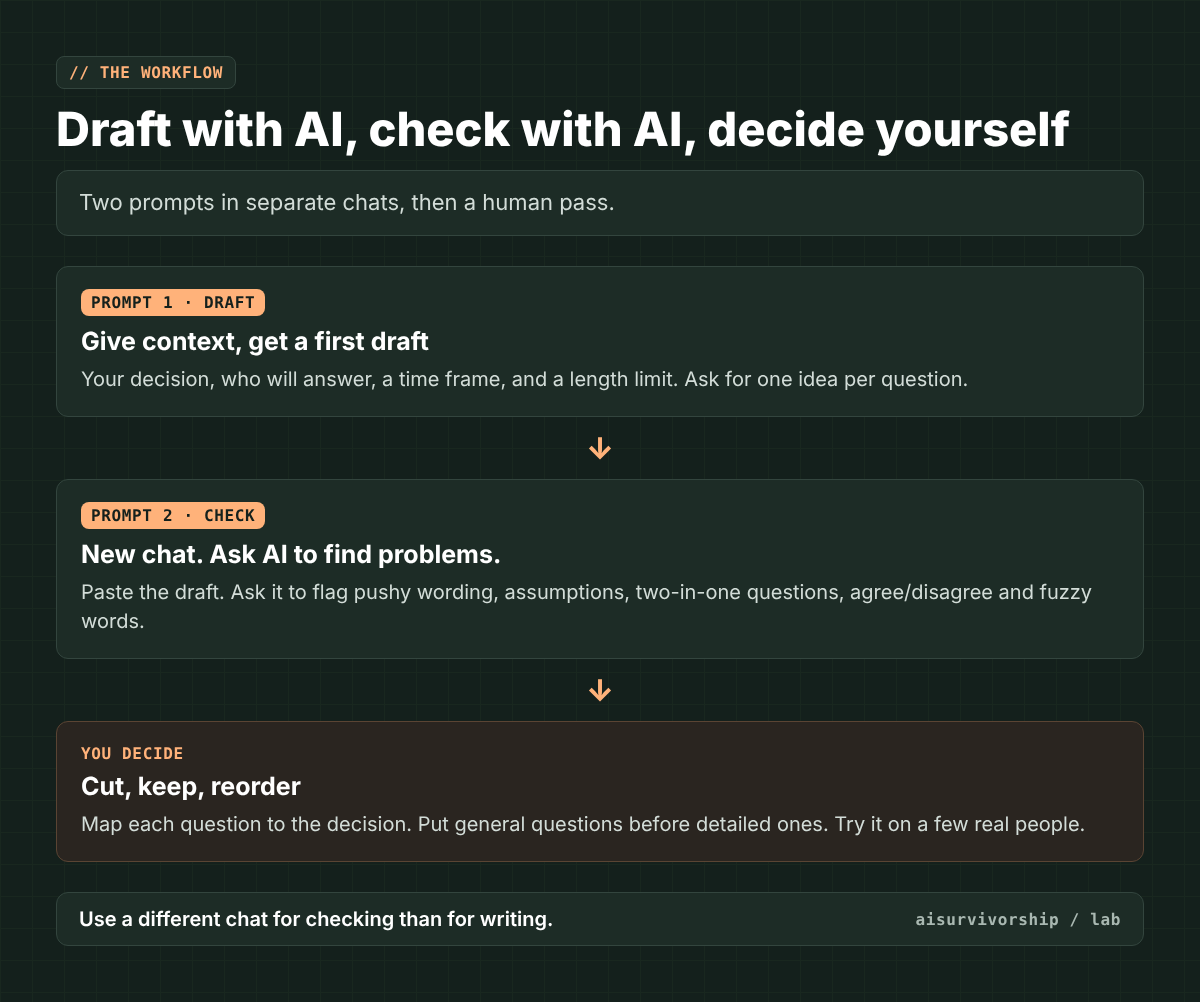
Start by writing down what you’ll decide once the answers come in. Give AI that, plus who’ll be answering, and let it write a first draft. Then open a new chat and have AI check the draft for questions that nudge people toward an answer, assume too much, or ask two things at once. The final cut is yours.
When you want to hear from customers, a survey is one of the first things you reach for. It’s also really easy to get wrong. One pushy question can hand you a confident “yes” that doesn’t mean a thing.
Where this sits on the map: Current planning track (Y to Y+1) · Customer research (surveys). Part of the product planning process series.
On this page
- Step 1: Write the decision first
- Step 2: Let AI draft, with context
- Step 3: Check the draft in a new chat
- Step 4: Cut, order, and test it yourself
- Copy-and-paste prompts
- Worked example (fictional)
- Checklist
- Limits
- FAQ
Step 1: Write the decision first
A lot of surveys start with “Let’s ask customers what they think.” Sounds reasonable, right? The trouble is, it doesn’t tell you which questions to ask. So you end up asking about everything.
So before you open any AI tool, write down one sentence: what will I decide when the results come in? Then list what you still don’t know that’s stopping you from deciding. Only those turn into questions.
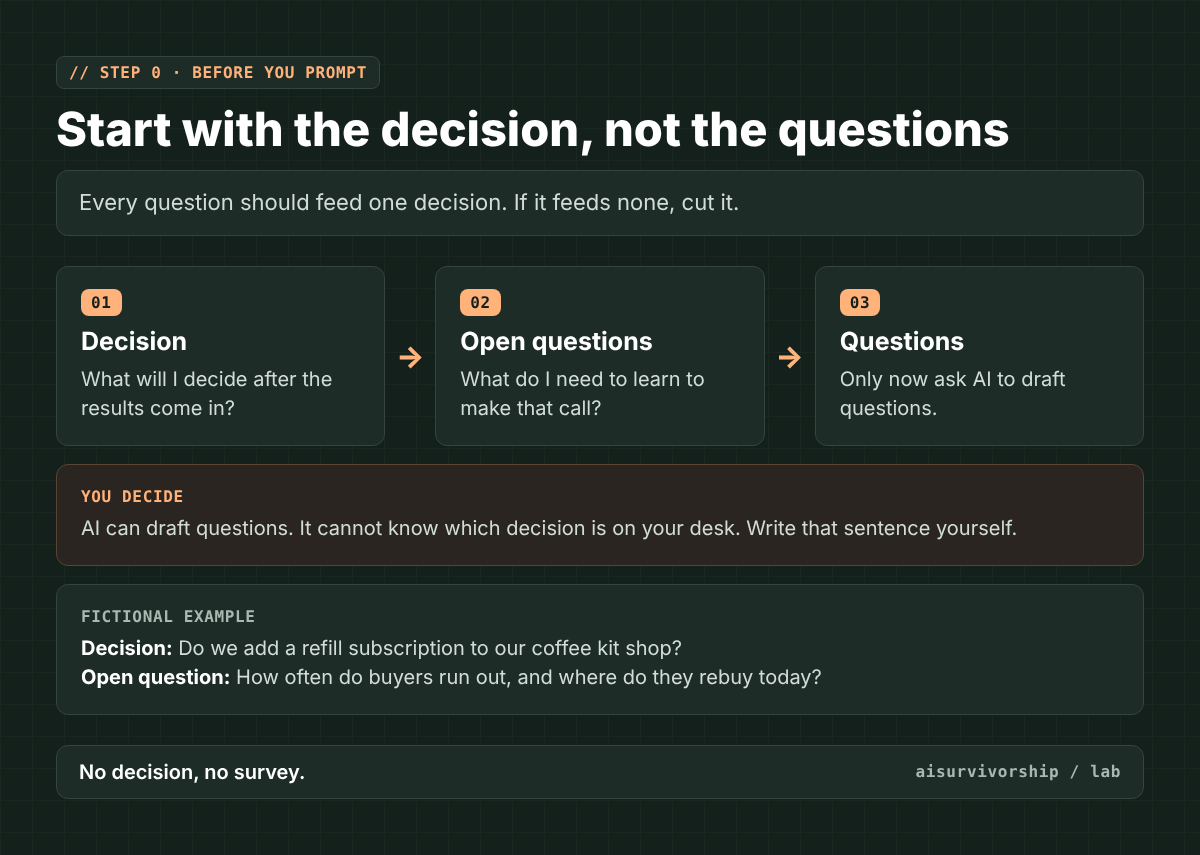
This is the one sentence AI can’t write for you. It has no idea what you’re trying to decide.
Step 2: Let AI draft, with context
Here’s where AI really helps. It’s fast at turning your open questions into a first draft, answer choices and all. Just give it:
- your decision and the things you don’t know yet (from Step 1)
- who’ll be answering (customers, trial users, people who left)
- a time frame for questions about what people do (“in the past 30 days”)
- how long the survey can be
Ask it to stick to one idea per question. And ask it to add a note next to each question saying which open question it helps answer. You’ll need that note in Step 4.
Step 3: Check the draft in a new chat
Now paste the draft into a new chat and ask AI to look for problems. Why a new chat? It hasn’t seen how the draft was made, so it reads it more like a stranger would. (Some AI tools remember past chats. In ChatGPT, a Temporary Chat gets around that.)
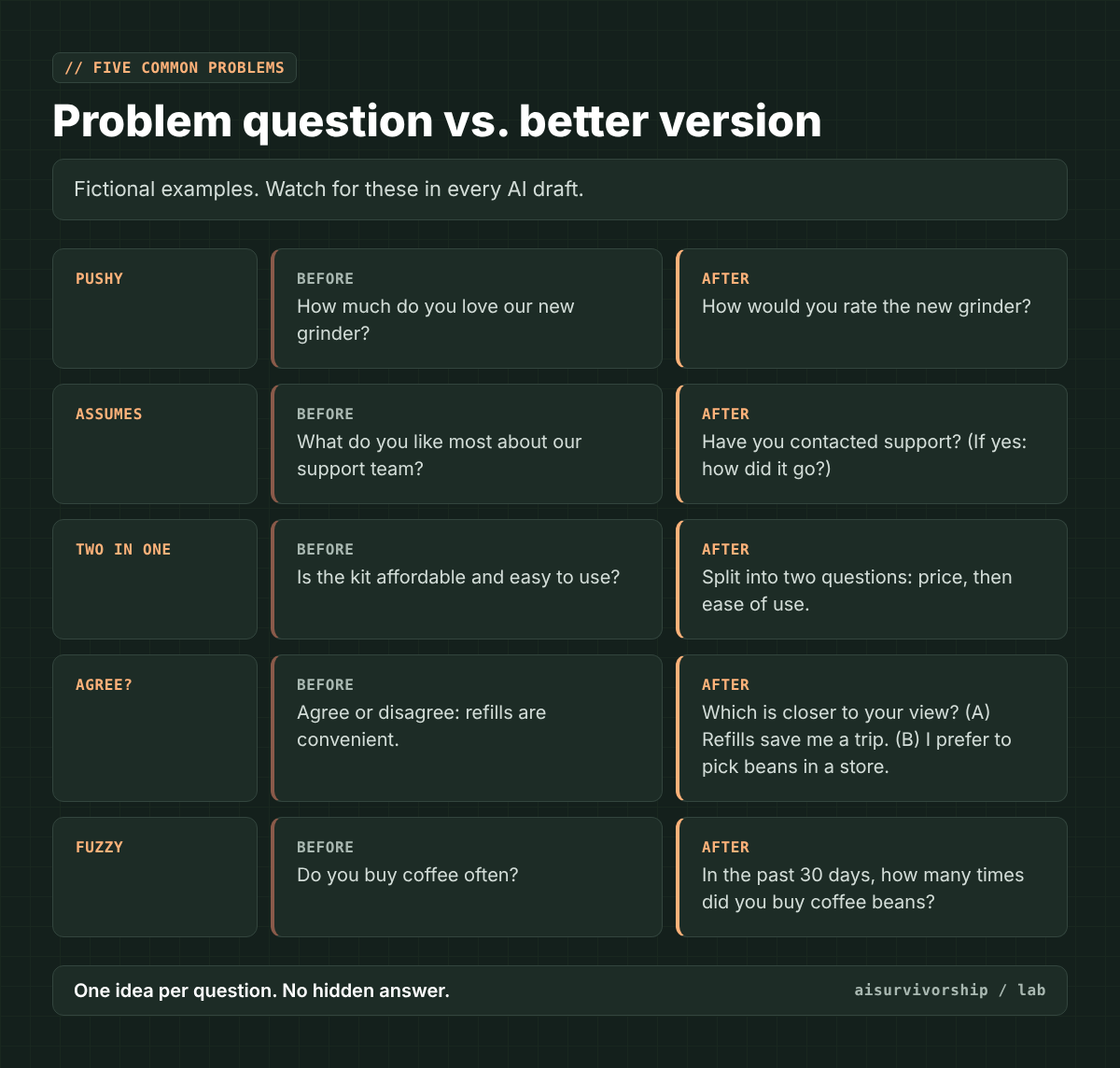
Ask it to watch for five common problems:
- Pushy wording (a “leading” question): the question hints at the answer you’re hoping for. “How much do you love…?”
- Assumes too much (a “loaded” question): it takes for granted something the person may never have done. The fix is to ask first whether they did it (“Have you contacted support?”) (SurveyMonkey).
- Two questions in one (“double-barreled”): “Is it cheap and easy to use?” Ask one thing at a time (Pew Research Center).
- Agree/disagree statements: some people lean toward “agree” no matter what the statement says. Pew suggests having people pick between two statements instead (Pew).
- Fuzzy words: “often” or “recently” mean different things to different people. Ask “how many times in the past 30 days” instead.
Step 4: Cut, order, and test it yourself
This part’s on you. Here’s what to do:
- Cut. If a question doesn’t help with the decision, delete it. “Nice to know” questions make a survey longer, not better.
- Order. Earlier questions can change how people answer later ones (Pew). So put general questions before detailed ones. If your survey tool can shuffle the answer choices for each person, turn that on. It won’t make the effect go away, but it spreads it out.
- Test. Pew calls testing a survey before you send it “an essential step.” Hand it to a few real people and watch where they pause or reread.
Copy-and-paste prompts
There are two prompts. The first one writes your survey. The second one checks it. Here’s how to use them:
- Copy Prompt 1. Select all the text in the first box and paste it into ChatGPT, Claude, Gemini, or whichever AI chat you use.
- Fill in the brackets before you send. Swap each [bracket] for your own details and delete the brackets. For example, [audience] could become “people who bought from us in the last six months.”
- Read the draft once. Fix anything that doesn’t fit your product or your customers. If a question has no note saying which open question it helps answer, cut it.
- Open a new chat and paste Prompt 2. Replace [paste draft] with the survey from the previous step, then send.
- Use the table to make your final edits. The AI suggests. You decide what stays.
Tip: if the AI asks you questions before drafting, answer them. The more it knows about your decision and your customers, the less generic the questions get.
Prompt 1: Draft (fill in the brackets)
I am planning a short customer survey.

Decision this survey must inform: [one sentence]
What I don't know yet: [2–4 open questions]
Who will answer: [audience]
Length limit: [e.g., 8 questions, under 3 minutes]

Draft the survey.
Rules:
- One idea per question.
- Use a specific time frame for any question about what people do.
- Do not assume the person has used a feature or contacted us. Ask whether they have first.
- For rating questions, give as many positive as negative choices, and include "Not sure".
- Avoid agree/disagree statements. Offer a choice between alternatives instead.
- After each question, write [helps answer: open question #] so I can see what it is for.
Prompt 2: Check (paste into a NEW chat)
You are a strict survey expert. You did not write this survey.

Review every question below. For each one, flag any of these problems: wording that pushes toward an answer, questions that assume something, two questions in one, agree/disagree statements, fuzzy words like "often", answer choices that lean one way.

Output a table: question number | problem | why it's a problem | better version.
If a question has no problem, write "OK". Do not add new questions.

Survey:
[paste draft]
Worked example (fictional data)
Everything in this example is made up for illustration. The shop, the decision, and the questions aren’t from a real project.
Fictional shop: a small online store that sells pour-over coffee kits.
Decision: Do we add a monthly bean refill subscription?
Open questions: (1) How often buyers run out of beans. (2) Where they rebuy today. (3) What would stop them from subscribing.
A first AI draft might include questions like these. The second chat flags them, and you rewrite them:
| Draft question | Problem | Rewrite |
|---|---|---|
| Wouldn’t a refill subscription make your life easier? | Pushy wording | If we offered a monthly bean refill, how likely would you be to try it? (Very likely … Very unlikely, Not sure) |
| Do you buy coffee often? | Fuzzy word | In the past 30 days, how many times did you buy coffee beans? |
| Where do you buy beans, and how much do you spend? | Two questions in one | Two questions: where you bought beans last time, then how much you spent. |
| What do you love about our grinder? | Pushy, and assumes they own one | Cut. It doesn’t help answer any open question. |
Look at that last row. The second chat only fixes wording. Seeing that the question shouldn’t be there at all took the decision you wrote down in Step 1.
Checklist before you send
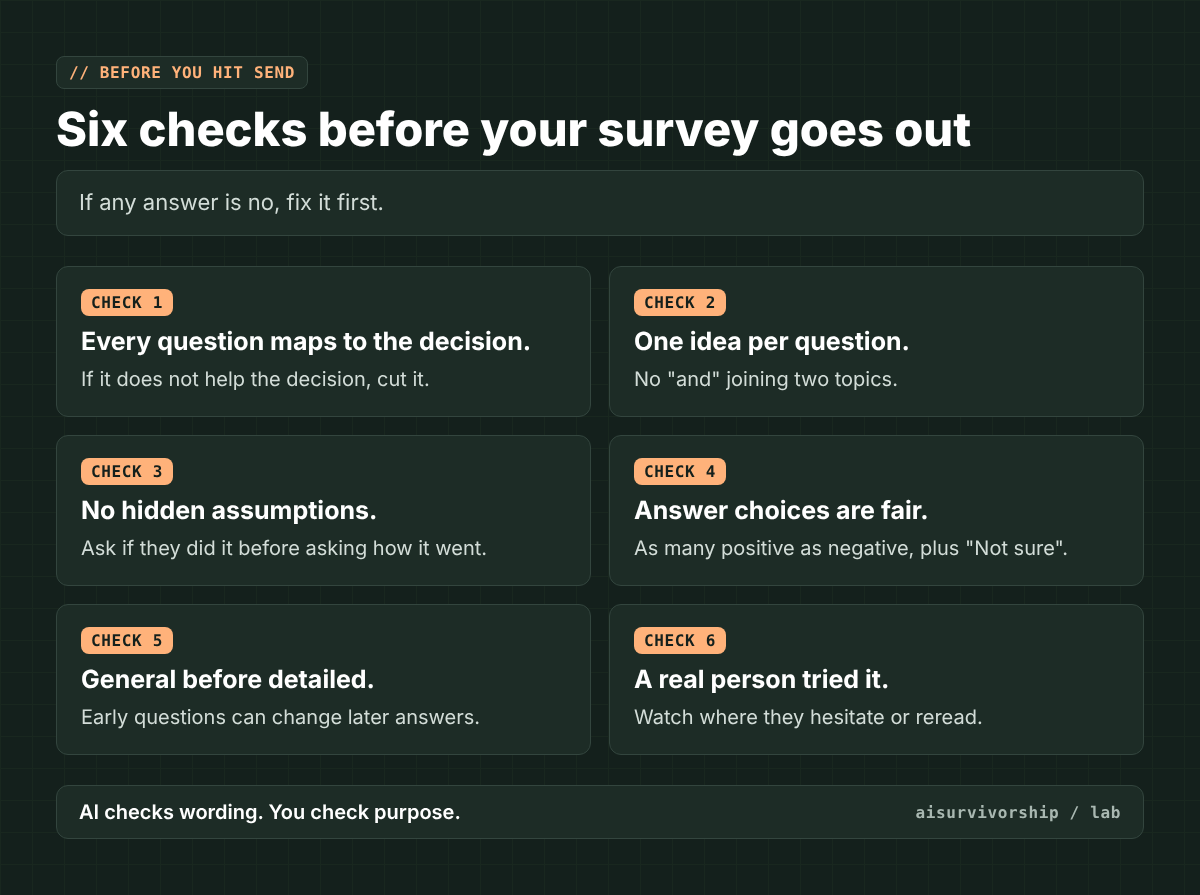
☐ Every question helps the decision.
☐ One idea per question.
☐ No question assumes something the person may not have done.
☐ Answer choices don’t lean one way, and “Not sure” is an option.
☐ General questions come before detailed ones.
☐ A real person has tried it.
Limits
- AI’s check is a second pair of eyes, not a survey expert. It can miss problems, and it can flag questions that are perfectly fine.
- Good wording can’t fix who you ask. If you only survey happy customers, you’ll only hear from happy customers.
- Surveys tell you what people say. For what they actually do, look at real data like sales or usage, or go talk to people.
- Don’t paste customers’ personal data or confidential plans into an AI tool unless your company allows it.
- Sensitive topics (health, money, employment) need an expert’s review. This guide is for everyday product questions.
FAQ
Can I just ask ChatGPT or Claude to “write a customer survey”?
You can, but you’ll get generic questions. Without your decision, AI can’t tell which questions matter. Start with Step 1.
What’s a leading question in a survey?
It’s a question whose wording pushes people toward one answer. “How much do you love our product?” assumes they love it. “How would you rate our product?” doesn’t.
How many questions should a customer survey have?
There’s no magic number. A good rule of thumb: ask as many as your open questions need, and not one more. If a question doesn’t help the decision, cut it.
Why use a new chat for the check?
The new chat hasn’t seen how the draft was made, so it reads it more like a stranger would. Some tools can still pull from your past chats, though. In ChatGPT, for example, a Temporary Chat won’t use or update memory (OpenAI). It’s not perfect, and the final call is still yours.
Where this fits: This guide belongs to the current planning track of the product planning process series.
Next in this track: the current planning track hub, a map of every guide for products already on the market. If you subscribe, new guides land right in your inbox.
Your turn: Where do you get stuck when you write a survey? Choosing the questions, wording them, or getting people to answer at all? Tell us in the comments. Your answers shape what we write next.