
QUICK ANSWER
Every AI product description generator turns the same thing into copy: the facts you give it. So the brief matters more than the tool. For one-off listings, a free AI chat or the generator built into your store platform is enough. Canva’s Magic Write fits if you already design there. Copy.ai and Jasper add brand voice and team workflows for a monthly fee, and Hypotenuse AI is built for bulk catalogs. Whatever you pick, fact-check every line before it goes live, because these tools can add claims you never gave them.
Series: AI tools compared, part 3 of 30. Prices and plan details below were checked on the official pages on November 2, 2026. Previous: turning a blog post into Pinterest Pins.
On this page
- The brief matters more than the tool
- The 6 tools compared
- Which one should you pick?
- The brief and a check prompt
- Example (fictional)
- Limits
- FAQ
The brief matters more than the tool
All of these tools work the same way underneath. You give them product facts, they turn the facts into sentences. Shopify’s own help page says it plainly: the generator works from details you provide, such as a product title and keywords, and the more detail you add (materials, target customer, brand terms), the better the result (Shopify Help Center).
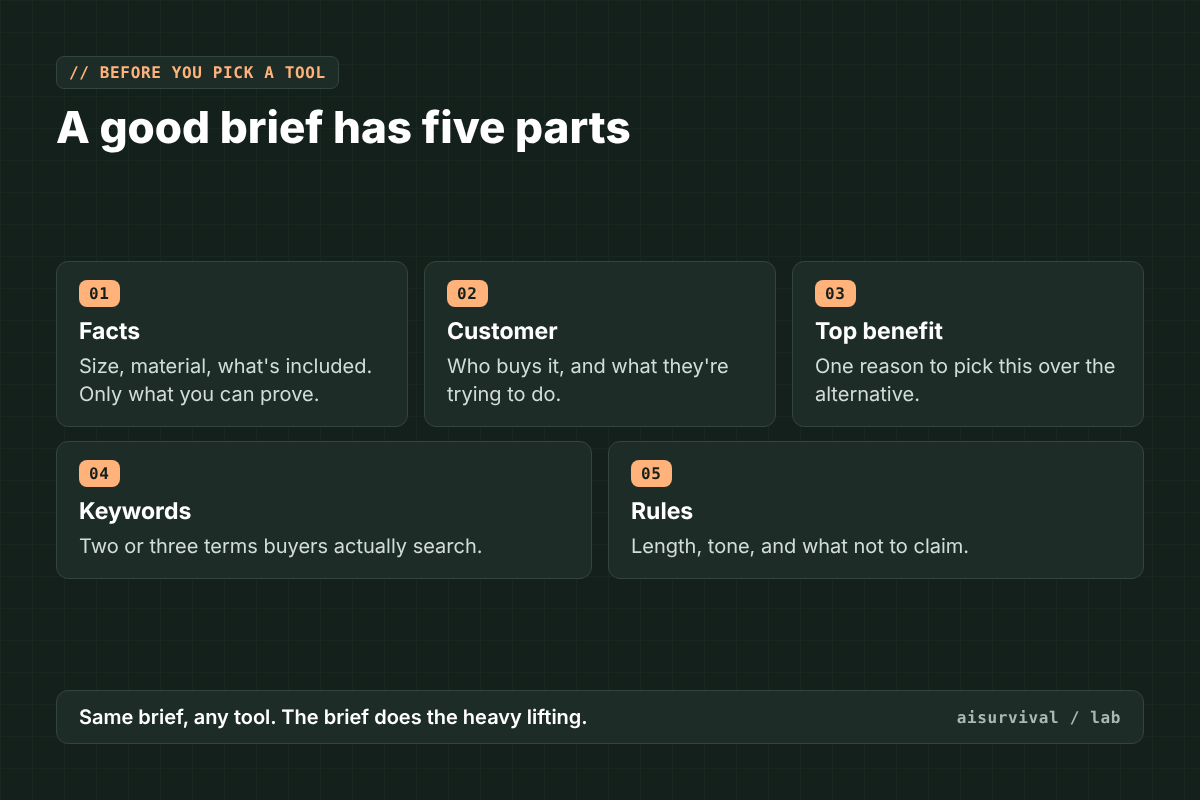
So a weak brief gives you the same bland copy in every tool, just with a different logo on top. A good brief has five parts:
- Facts: size, material, what’s included, care instructions. Only things you can prove.
- Customer: who buys it and what they’re trying to do.
- Top benefit: the one reason someone picks this over the alternative.
- Keywords: two or three search terms, in the words buyers use.
- Rules: length, tone, and what not to claim.
The 6 tools compared
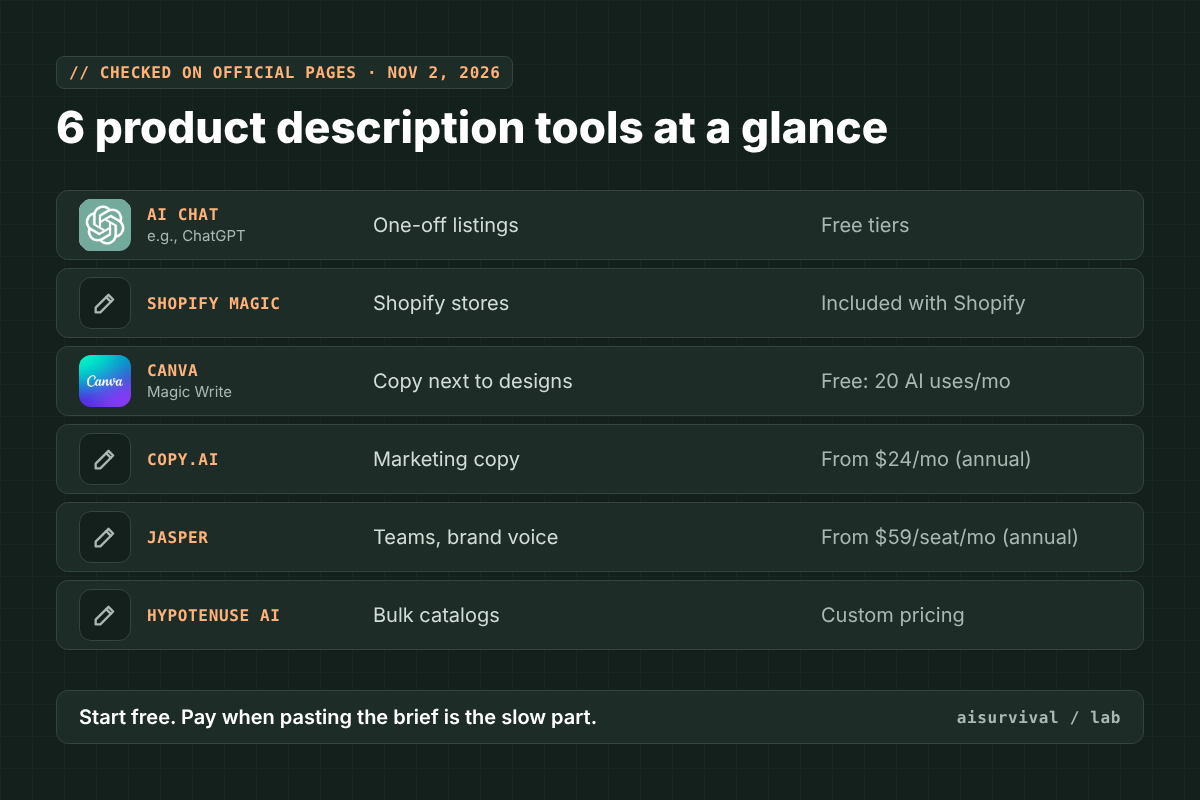
| Tool | Best for | Free option | Paid from |
|---|---|---|---|
| AI chat (ChatGPT, Claude, Gemini) | One-off listings, any platform | Free tiers available | Varies by tool |
| Shopify Magic | Shopify stores | Included with Shopify | No extra cost listed |
| Canva Magic Write | Copy next to your designs | Free plan: up to 20 uses a month of standard or premium AI tools | Canva Pro (check Canva’s pricing page) |
| Copy.ai | Marketing copy and saved brand voice | No free plan listed | $24/month billed annually ($29 monthly) |
| Jasper | Marketing teams with brand rules | 7-day free trial | $59/seat/month billed annually ($69 monthly) |
| Hypotenuse AI | Bulk catalogs (CSV in, CSV out) | Free trial | Custom pricing |
1. An AI chat
ChatGPT, Claude, or Gemini can all write a description from a brief. It’s the most flexible option and the cheapest place to start. The catch is you paste everything in yourself, every time.
2. Shopify Magic
If you sell on Shopify, it’s already there. The App Store page lists it as included with Shopify: “Your Shopify plan includes free AI-generated product descriptions, no apps required” (Shopify). The help page says you need a product title and at least two features or keywords, it works on desktop, not the phone app, and you’re responsible for checking what it writes (Shopify Help Center).
3. Canva Magic Write
Handy if you design listing images in Canva and want the words in the same place. On the free plan, Magic Write draws from a monthly allowance of up to 20 uses of standard or premium AI tools. On Pro, standard tools like Magic Write don’t count toward the shared allowance, with fair-use limits (Canva Help Center).
4. Copy.ai
A general marketing copy tool. Its cheapest plan, Chat, is $24 a month billed annually or $29 billed monthly, and the pricing page doesn’t list a free plan (Copy.ai). Worth it if you also write emails and ads, not just listings.
5. Jasper
Built for marketing teams that need a consistent brand voice. The Pro plan is $59 per seat per month billed yearly or $69 billed monthly, with a 7-day free trial (Jasper). Probably more than a small shop needs.
6. Hypotenuse AI
Made for ecommerce catalogs. Its pricing page lists bulk generation of product descriptions and meta titles, plus CSV and XLSX import and export. Prices are custom, and there’s a free trial link (Hypotenuse AI). Look at it when you have hundreds of products, not five.
Which one should you pick?
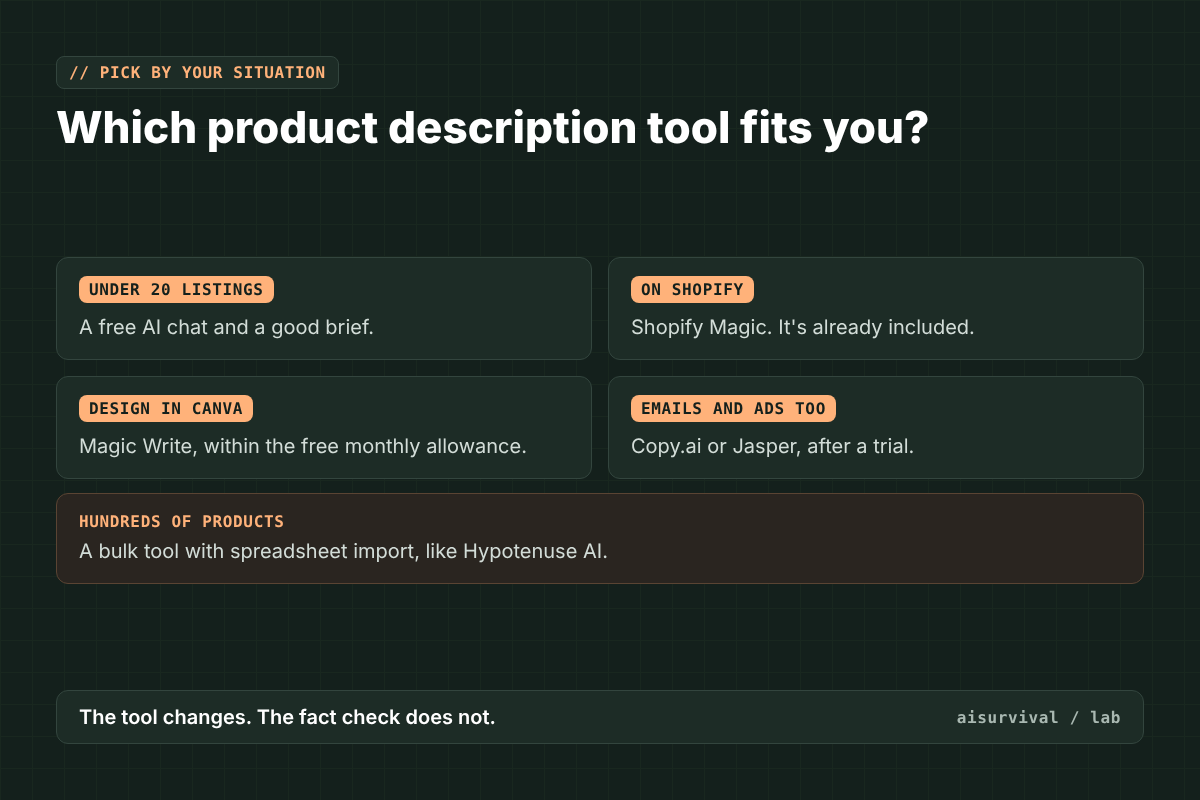
- Under 20 listings, any platform: a free AI chat and the brief below.
- On Shopify: start with Shopify Magic. It’s already included.
- You design in Canva: Magic Write, as long as the free monthly allowance covers you.
- You also write emails and ads every week: Copy.ai or Jasper, after a trial.
- Hundreds of products in a spreadsheet: a bulk tool like Hypotenuse AI.
Start free. Pay only when copying and pasting the brief becomes the slow part.
The brief and a check prompt
How to use these:
- Fill in the brief once per product. Keep it in a spreadsheet so you can reuse it.
- Paste Prompt 1 into any tool above (or into the tool’s own prompt box).
- Paste the result into Prompt 2 in a new chat.
- Fix anything it flags, then publish.
Tip: the same brief works in every tool, so you can compare two tools on one product in five minutes.
Prompt 1: Product description brief
Write a product description for an online store.

Product: [name]
Facts (only use these): [size, material, what's included, care]
Customer: [who buys it and why]
Top benefit: [one reason to pick this]
Keywords: [2-3 search terms buyers use]
Tone: [e.g., warm and plain]
Length: [e.g., 80-120 words + 3 short bullet points]

Rules:
- Do not add features, certifications, or claims that are not in the facts.
- No "best", "perfect", or "#1" unless I gave proof.
- Use each keyword once, naturally.
Prompt 2: Check before you publish
Here is my product facts list and an AI-written description.

Facts: [paste facts]
Description: [paste description]

1. List every claim in the description.
2. Mark each one SUPPORTED (it is in the facts) or NOT IN FACTS.
3. Rewrite only the sentences with NOT IN FACTS claims, using the facts.
Do not add anything new.
Example (fictional)
Everything here is made up for illustration.
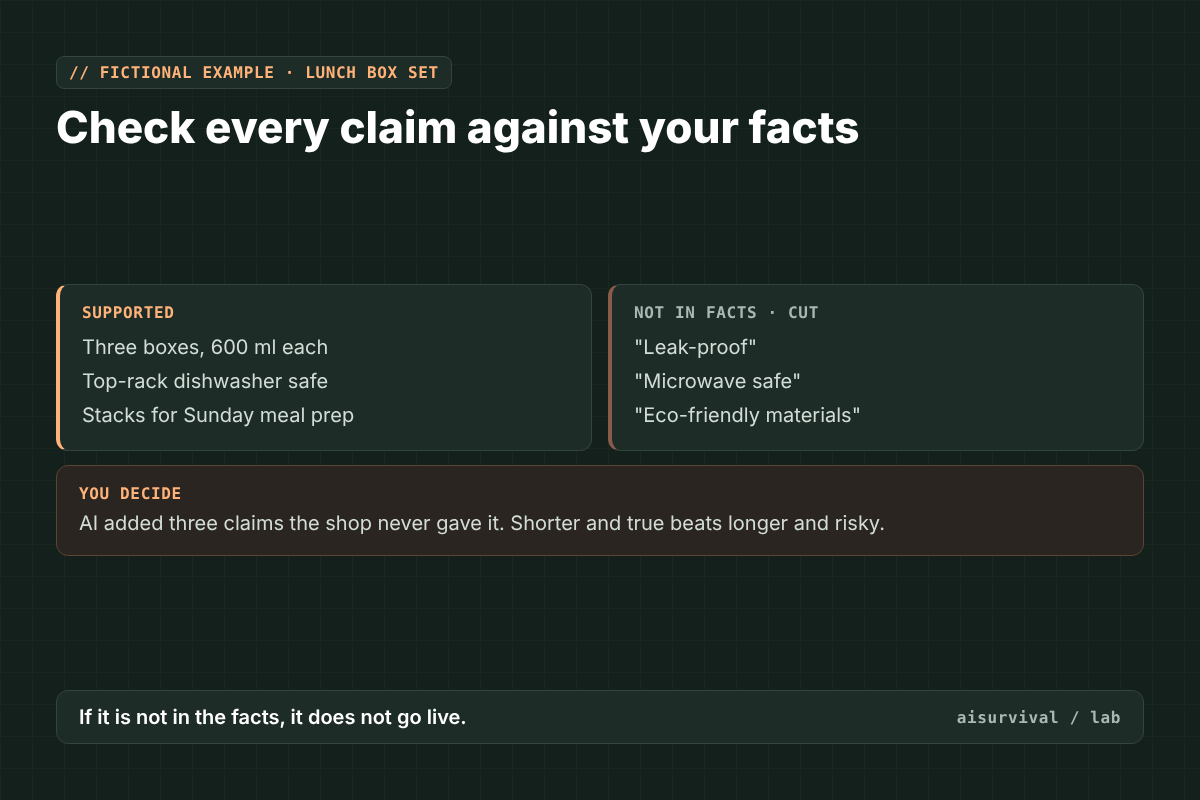
A small shop sells a stacking lunch box set. The brief lists: three boxes, 600 ml each, plastic lids, dishwasher safe on the top rack, for people who prep lunches on Sunday.
The first AI draft says the boxes are “leak-proof,” “microwave safe,” and “made from eco-friendly materials.” Prompt 2 marks all three NOT IN FACTS. The shop never tested for leaks, didn’t list microwave use, and has no material claim to back “eco-friendly.” Those three lines get cut. What’s left is shorter and true.
Quick checklist:
☐ The brief lists only facts you can prove.
☐ Keywords are words buyers actually search.
☐ Every claim was checked against the facts.
☐ No “best” or “#1” without proof.
☐ A person read it out loud before publishing.
Limits
- Plans and prices change. They’re as listed on the official pages on November 2, 2026. Check before you pay.
- This is a comparison from official documentation, not a hands-on test of output quality.
- AI tools can add benefits and facts you didn’t give them. Shopify’s help page says the same: you’re responsible for the accuracy of what you publish.
- Marketplaces and ad rules restrict some claims (health, safety, eco). When in doubt, leave it out.
- Product names and logos belong to their owners and are shown only to identify each tool. This post isn’t sponsored, and no company here reviewed or endorsed it.
FAQ
What is the best free AI product description generator?
For most small shops, a free AI chat with a good brief, or the generator built into your store platform. On Shopify, Shopify Magic is included with your plan.
Can AI-written product descriptions hurt SEO?
Generic copy that looks like every other listing won’t help you stand out. Copy built from your own facts and the words your buyers use is a better bet, whoever writes the first draft.
How long should a product description be?
Long enough to answer the buyer’s main questions. A short paragraph plus three bullets is a common starting point. Test what works for your products.
Do I need to check AI product descriptions?
Yes, every time. These tools can add claims that aren’t true for your product, and you’re the one responsible for what’s published.
Series: AI tools compared, part 3 of 30. Previous: how to turn a blog post into Pinterest Pins with AI.
Next in this series: how to make a customer survey with AI, five tools compared. Subscribe if you’d like it in your inbox.
Your turn: What’s the strangest claim an AI tool has added to your product copy? Tell us in the comments.